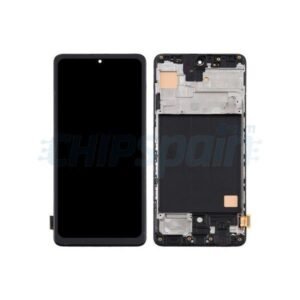
Xiaomi Redmi Note 15 Screen Replacement Price in Kenya
The Xiaomi Redmi Note 15 has garnered attention for its impressive features and user-friendly design. However, like any other smartphone, it is not immune to screen-related problems that can significantly affect overall user experience. Among the most prevalent issues is screen cracking, which can occur due to accidents, drops, or even pressure applied during storage. A cracked screen not only compromises the aesthetic appeal of the device but can also hinder touch functionality, making it difficult for users to navigate through applications and features.
Another common screen issue reported by users is the presence of dead pixel areas. Dead pixels appear as small dots on the screen that do not light up or display any color, leading to a disruption in visual clarity. Although often not critical, these dead pixel spots can be quite distracting and adversely affect the engagement level of multimedia content, thereby diminishing the overall satisfaction derived from using the device.
Touch sensitivity problems are also frequently observed in the Xiaomi Redmi Note 15. Users may experience situations where the screen becomes unresponsive or registers touches inaccurately, undermining the seamless interaction expected from a modern smartphone. These issues can arise from physical damage, software bugs, or even preceding factory defects. Addressing touch sensitivity issues is crucial for tasks that require precision, such as gaming or typing.
Given that the screen is a primary interface for user interaction, dealing with any of these issues promptly is vital. The screen’s condition can heavily influence the overall functionality and enjoyment derived from the device. Hence, understanding these common screen problems is essential for any Xiaomi Redmi Note 15 user seeking to maintain their device’s performance and longevity.
Identifying Screen Damage: Signs and Symptoms
Recognizing the need for a screen replacement on your Xiaomi Redmi Note 15 is crucial to maintain the device’s functionality. Several signs indicate that screen damage has occurred and a replacement might be necessary. The most apparent indication is the presence of physical cracks, which can emerge from accidental drops or impacts. These cracks not only affect the aesthetic appeal of the phone but can also lead to further complications if left unaddressed.
Another critical symptom of screen damage is discoloration. Users may notice areas on the screen that are either overly bright or dark, creating an uneven display. Such discoloration often originates from internal damage to the screen components, affecting color representation and overall image clarity. This symptom warrants immediate attention as it could escalate to complete screen failure.
Additionally, malfunctioning touch features can also signal the need for screen replacement. If the device is unresponsive to touch inputs or registers incorrect touches, this may indicate that the digitizer—an essential component of the screen—has been compromised. Users should be keenly aware of such issues as they can hinder productivity and cause frustration.
Overall, recognizing these signs—physical cracks, discoloration, and touch malfunctions—allows Xiaomi Redmi Note 15 users to proactively address screen damage issues. Early identification and timely intervention play a vital role in preventing more extensive damage, ensuring the longevity and efficiency of the device.
Reasons for Screen Damage
The Xiaomi Redmi Note 15, like many modern smartphones, is susceptible to screen damage due to a variety of factors. Understanding these factors is key to preventing potential issues and maintaining the device’s functionality. One of the most common reasons for screen damage is accidental drops. Whether it occurs while taking a picture or pulling the device from a pocket, a sudden impact can lead to cracks or shattered screens. Users can mitigate this risk by using protective cases or screen protectors, which provide an additional layer of defense against unforeseen accidents.
Another significant factor contributing to screen damage is exposure to extreme temperatures. The Xiaomi Redmi Note 15, while built to endure various conditions, can still be affected by prolonged exposure to extreme heat or cold. High temperatures can cause the screen to expand, while cold temperatures may lead to screen contraction, increasing the likelihood of cracks. Therefore, it is advisable to keep the device away from direct sunlight and to avoid using it in excessively cold environments.
Lastly, typical wear-and-tear can also lead to a decline in screen integrity over time. Frequent usage can lead to scratches, minor scuffs, and other cosmetic damage that may not seem significant initially but can impact the screen’s performance. Regular maintenance, such as careful cleaning and proper storage, can help alleviate some of these issues. By being aware of the common causes of screen damage, Xiaomi Redmi Note 15 users can adopt preventive measures, ensuring their device remains in optimal condition for a longer period.
Do-It-Yourself (DIY) vs Professional Replacement Services
When it comes to screen replacement for the Xiaomi Redmi Note 15, users often find themselves at a crossroads, debating between a DIY approach and enlisting the help of professional services. Each option presents a unique set of advantages and drawbacks that should be thoroughly considered before making a decision.
Opting for a DIY screen replacement can be an appealing option, especially for those who are mechanically inclined or enjoy tackling hands-on projects. One of the main advantages of this approach is cost savings. Purchasing a replacement screen online usually costs significantly less than professional repair fees, allowing users to carry out the repairs without straining their budgets. Furthermore, many online resources, including guides and videos, assist inexperienced individuals throughout the replacement process. However, this method is not without its challenges.
A DIY replacement requires a certain level of technical competence and an understanding of electronic devices. Incorrect handling can lead to further damage, rendering the phone inoperable and possibly incurring additional costs for repairs. Moreover, the time spent conducting a DIY replacement may vary from individual to individual, often extending far beyond initial estimates, adding to the stress of the situation.
In contrast, professional screen replacement services offer a host of benefits that enhance peace of mind. Technicians possess the necessary skills, experience, and tools that ensure a seamless and effective replacement process. While this option is generally more expensive, it circumvents the complications associated with DIY and often comes with warranties that protect against future issues. Time efficiency is another factor to consider; professionals can typically complete repairs in a shorter timeframe compared to inexperienced individuals.
In conclusion, both DIY and professional screen replacements for the Xiaomi Redmi Note 15 have their respective advantages and disadvantages. Users must weigh factors such as cost, skill level, and time commitment to make the most informed choice based on their individual circumstances.
Tools Required for Screen Replacement
Replacing the screen of a Xiaomi Redmi Note 15 necessitates a set of specific tools to ensure a smooth process and successful outcome. The right tools not only simplify the procedure but also minimize the risk of damaging the device further during the operation. Here is a comprehensive list of essential tools required for the screen replacement of your Xiaomi Redmi Note 15.
First and foremost, a heat gun or hairdryer is vital for loosening the adhesive that holds the screen in place. Carefully applying heat to the edges of the display will help soften the adhesive, making it easier to separate the screen from the device. Additionally, a plastic spudger is necessary for prying open the device without damaging the internal components. Metal tools are advised against, as they may scratch or cut the plastic casing.
Moreover, a Phillips screwdriver is essential for removing the screws that secure the phone’s back cover and internal components. Make sure to have a small Phillips screwdriver set to accommodate the various screw sizes utilized in the device. A magnetic mat may also be beneficial to keep track of screws and small parts during the process, preventing any loss.
Another practical tool to consider is a precision tweezers, which can aid in handling small components or connectors. To ensure cleanliness, a clean, lint-free cloth is recommended for wiping dust and fingerprints off the new screen before installation. Finally, you may also require an adhesive replacement to fix the new screen properly, as the old adhesive might lose its effectiveness.
These tools can typically be obtained from electronic repair shops or online marketplaces. Having the right equipment is paramount for your Xiaomi Redmi Note 15 screen replacement, ensuring a professional and efficient repair experience.
Step-by-Step Guide to Replacing Xiaomi Redmi Note 15 Screen
Replacing the screen on your Xiaomi Redmi Note 15 might seem daunting, but by following a structured process, you can successfully complete the task. Begin by powering down your device completely to prevent any potential short circuits during the repair. This ensures a safe environment to work in. Next, gather all the necessary tools, which typically include a heat gun, suction cup, spudger, and a screwdriver set specifically tailored for mobile devices.
Once you have your tools at hand, the first step in the screen replacement process involves removing the back cover. Apply gentle heat to the edges of the back cover using the heat gun. This softens the adhesive securing the cover, making it easier to pry off. Use the suction cup to lift the back cover slightly, inserting the spudger to delicately break the adhesive seal. Take care not to apply excessive force, as doing so could damage internal components.
After removing the back cover, locate the screws that secure the battery and disconnect it from the motherboard. This safety measure protects your device during the screen replacement process. Next, you will find connectors leading to the display. Gently unclip these connectors using the spudger. With the connections detached, you can now safely remove the broken screen from the device.
Before installing the new screen, ensure all surfaces are clean and free from dust or debris. Line up the new display with the device frame and press down firmly to secure it in place. Once positioned correctly, reconnect the screen’s connectors, ensuring they fit snugly. Finally, replace the battery and reattach the back cover, ensuring all edges are secured with adhesive. In essence, taking your time and working methodically through each step is key to a successful screen replacement for the Xiaomi Redmi Note 15.
Post-Replacement: Testing Your New Screen
After successfully installing the new screen on your Xiaomi Redmi Note 15, it’s crucial to thoroughly test the display to ascertain its functionality. Proper testing ensures that all features are operating correctly and that the replacement has been effective. Here are key factors to consider during the testing process.
First, evaluate the touch response of the new screen. Begin by navigating through various apps and settings. It is essential that the touch sensitivity feels natural and responsive. You should check for any areas that may be unresponsive or where the touch accuracy is diminished. A well-installed screen should encompass consistent touch capabilities across the entire surface.
Next, assess the screen brightness. Adjust the brightness settings to determine if the display can reach both low and high settings successfully. It’s ideal to carry out outdoor testing as well to observe how the screen performs under bright conditions. A vibrant display that responds adequately to brightness adjustments is indicative of a successful installation.
Lastly, examine the color accuracy of the new screen. Open various images or videos that showcase differing colors and contrast. The colors should look vivid and true to life without any discoloration or distortion. Any significant discrepancies in color reproduction may indicate issues either with the screen or its installation.
In conclusion, carefully testing the touch response, screen brightness, and color accuracy post-replacement plays a pivotal role in ensuring that your new Xiaomi Redmi Note 15 screen is functioning correctly. With these checks, you can enjoy a fully operational device, providing a seamless user experience.
Maintenance Tips for Your Xiaomi Redmi Note 15 Screen
Maintaining the screen of your Xiaomi Redmi Note 15 is crucial for ensuring its longevity and optimal performance. One effective way to protect your screen is by applying a high-quality screen protector. Screen protectors provide an additional layer of defense against scratches, smudges, and impact damage. They come in various types, including tempered glass and plastic film. A tempered glass screen protector is often recommended due to its durability and clarity, allowing for an unhindered viewing experience.
In addition to employing screen protectors, regular cleaning is essential. To clean the screen effectively, use a microfiber cloth that is soft and lint-free. Dampen the cloth slightly with water or a screen-safe cleaner specifically designed for electronics. Avoid using paper towels or abrasive materials, as these can scratch the screen. Wipe the screen gently in circular motions to eliminate fingerprints, dust, and other residues, ensuring that your display remains clear and vibrant.
Moreover, handling the device with care plays a vital role in maintaining the screen’s condition. Avoid placing your Xiaomi Redmi Note 15 in pockets or bags alongside sharp objects, such as keys or coins, which could cause scratches. Additionally, it is advisable to use a protective case that covers the edges and corners of the phone, as this can provide extra protection against drops and impacts. When setting your device down, choose flat surfaces and avoid precarious stacks where it might easily fall or get damaged.
By implementing these maintenance tips, you can significantly enhance the lifespan of your Xiaomi Redmi Note 15 screen, keeping it in excellent condition for all your mobile needs.
Frequently Asked Questions (FAQs)
When it comes to the Xiaomi Redmi Note 15 screen replacement, many users have common inquiries that may arise throughout the process. This section aims to address some of the most frequently asked questions related to this essential element of device maintenance.
One common question is about the cost of replacing the screen on a Xiaomi Redmi Note 15. Generally, the price can vary based on several factors, including the service provider, whether genuine parts are used, and the warranty status of the device. Typically, users can expect the replacement cost to range from $50 to $150. It is advisable to get a detailed estimate before proceeding with the replacement to avoid unexpected expenses.
Another popular query involves warranty implications. Users often wonder if replacing their screen will void any existing warranties on their Xiaomi devices. In most cases, if the replacement is performed by an authorized service center using genuine parts, the warranty remains intact. However, unauthorized repairs or the use of third-party parts might lead to the cancellation of the warranty. Therefore, it’s crucial to consult with Xiaomi’s customer service or read the terms of the warranty beforehand.
Additionally, users sometimes experience issues with accessories post-screen replacement. This might raise questions about why certain features, such as touch sensitivity or display quality, seem compromised. It is important to ensure that all replacements are done correctly and to follow up with the service provider if any aspect of the display is not functioning as expected. Properly addressing these concerns will ensure that users can enjoy their Xiaomi Redmi Note 15 without further complications.

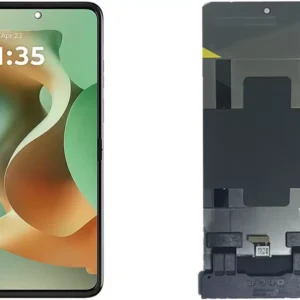 Motorola Razr 60 Ultra 5G Screen Replacement
1 × KSh 35,000.00
Motorola Razr 60 Ultra 5G Screen Replacement
1 × KSh 35,000.00  Tecno Spark 40 Pro KM6 Battery Replacement
1 × KSh 3,000.00
Tecno Spark 40 Pro KM6 Battery Replacement
1 × KSh 3,000.00 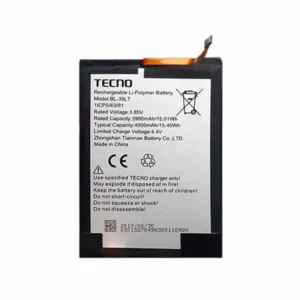 Tecno Spark 30S (CLA5) Battery Replacement
1 × KSh 2,000.00
Tecno Spark 30S (CLA5) Battery Replacement
1 × KSh 2,000.00  OnePlus Nord CE5 12GB/256GB
1 × KSh 49,000.00
OnePlus Nord CE5 12GB/256GB
1 × KSh 49,000.00  Google pixel 8 Pro Screen Replacement
1 × KSh 25,000.00
Google pixel 8 Pro Screen Replacement
1 × KSh 25,000.00  Google pixel 9 Pro Screen Replacement
1 × KSh 18,000.00
Google pixel 9 Pro Screen Replacement
1 × KSh 18,000.00  Tecno Spark 40 KM5 Screen Replacement
1 × KSh 7,000.00
Tecno Spark 40 KM5 Screen Replacement
1 × KSh 7,000.00  Tecno Spark 40 Pro KM6 Screen Replacement
1 × KSh 7,500.00
Tecno Spark 40 Pro KM6 Screen Replacement
1 × KSh 7,500.00  Oneplus Nord CE5 Battery Replacement
1 × KSh 3,000.00
Oneplus Nord CE5 Battery Replacement
1 × KSh 3,000.00  Tecno Spark 30S (CLA5) Screen Replacement
1 × KSh 8,500.00
Tecno Spark 30S (CLA5) Screen Replacement
1 × KSh 8,500.00  Tecno Pop 10 (KM4) Screen Replacement
1 × KSh 4,500.00
Tecno Pop 10 (KM4) Screen Replacement
1 × KSh 4,500.00  Google Pixel 8a Screen Replacement
1 × KSh 25,000.00
Google Pixel 8a Screen Replacement
1 × KSh 25,000.00  Tecno Spark 30c (KL5) Battery Replacement
1 × KSh 2,500.00
Tecno Spark 30c (KL5) Battery Replacement
1 × KSh 2,500.00 




There are no reviews yet.