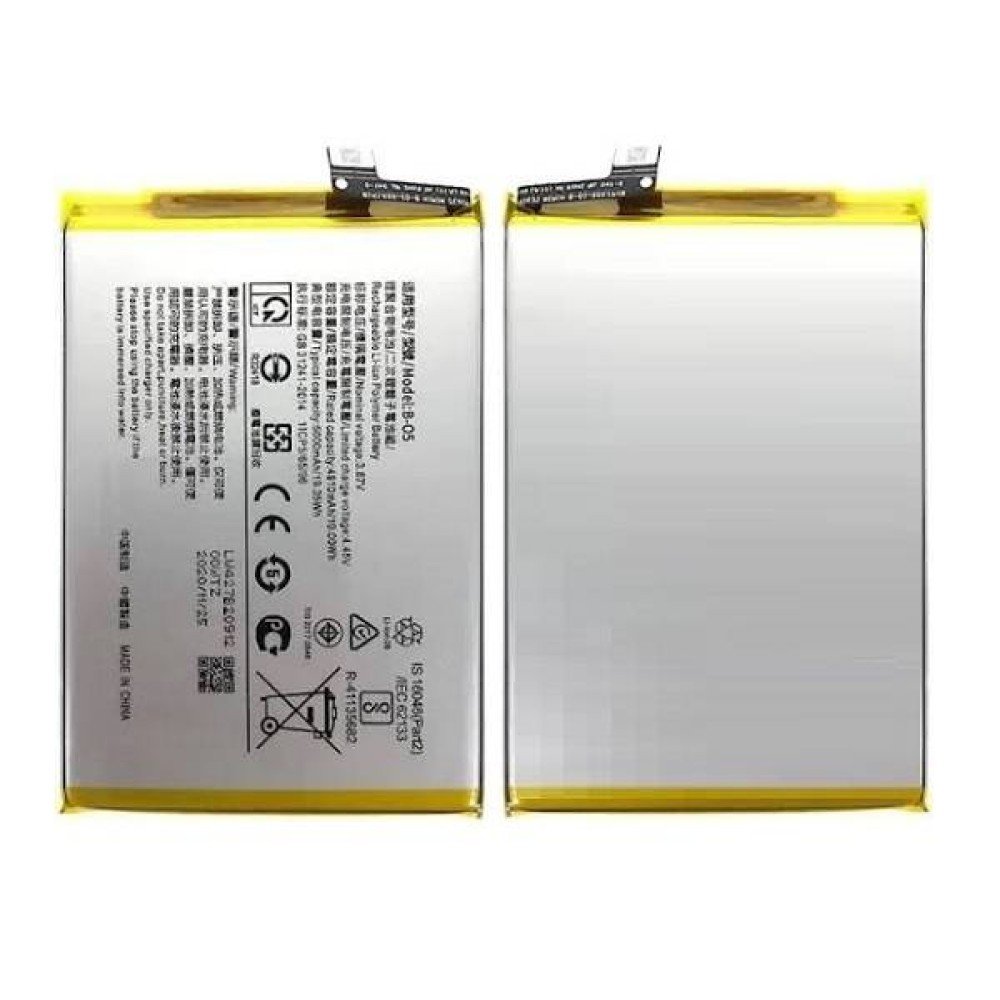
Vivo Y04 Battery Replacement Description
The Vivo Y04 is a popular smartphone model known for its affordability and functionality. However, users may experience various battery issues that can significantly impact daily usage. One common complaint among Vivo Y04 owners is rapid battery discharge, where the device loses charge much faster than expected. This can lead to inconvenience, particularly if you rely on your phone throughout the day. Users might find that the battery icon shows a significant drop in percentage even without extensive usage, indicating a potential underlying issue.
Another frequent problem is the failure to charge. This situation may arise due to a defective charger, faulty charging port, or trouble with the battery itself. Users often report plugging in their devices only to find that no power is being delivered, which can be frustrating. Additionally, overheating is a prevalent concern, where the device becomes excessively hot during charging or while performing heavy tasks. Overheating can not only reduce battery life but may also lead to long-term damage if not addressed promptly.
The lifespan of a Vivo Y04 battery typically ranges from two to three years, with standard performance expectations allowing for a full day of regular use on a single charge. However, environmental factors such as extreme temperatures or humidity can adversely affect battery health, leading to a decline in performance over time. Users are advised to keep their devices in moderate conditions to prolong battery life.
Before considering a battery replacement, it’s crucial to troubleshoot potential problems. Conducting software checks, such as ensuring your operating system is updated, and calibrating the battery regularly can help mitigate some issues. Calibration involves fully charging and then completely discharging the battery to restore its proper functioning. Through these troubleshooting techniques, users might solve some issues without needing a replacement, allowing for a longer lifespan of their Vivo Y04 smartphone.
When to Replace Your Vivo Y04 Battery
Recognizing the appropriate time to replace your Vivo Y04 battery is essential for maintaining the performance and longevity of your device. Several indicators suggest that a battery replacement may be necessary. One of the most common signs is significant battery swelling. If you notice that the back cover of your device is warping or the battery appears to be protruding, this is a clear indication that the battery is damaged and should be replaced immediately to prevent potential harm to your smartphone.
Another critical sign that your Vivo Y04 battery may need replacing is its inability to hold a charge. If you find that your device drains rapidly even after a full charge, or you experience frequent shutdowns during usage, this may suggest that the battery is no longer functioning optimally. In such cases, it is prudent to evaluate whether a replacement is the best course of action to restore the device’s functionality.
Diminished performance while using your Vivo Y04 can also be attributed to a failing battery. Users may experience sluggishness in performance or apps taking longer to open. While these may be attributed to other issues, they often correlate with a degraded battery health status. To accurately assess your battery’s health, you can utilize specific tools or apps designed to provide insights into battery performance and capacity. These applications will not only help gauge the current state of your battery but also serve as a guideline for determining when to consider replacing the battery.
Timely battery replacement not only enhances the performance of your Vivo Y04 but also helps prevent potential damage to other internal components. Addressing battery issues promptly can lead to an improved user experience and extend the life of your device.
Step-by-Step Guide to Replacing Your Vivo Y04 Battery
Replacing the battery of your Vivo Y04 can seem daunting, but with the right tools and a careful approach, it can be accomplished successfully. The first step involves gathering the necessary tools, which typically include a plastic opening tool, a Phillips screwdriver, and an antistatic wrist strap to prevent electrostatic discharge. Ensuring that you have all tools at hand will streamline the process and prevent interruptions.
Before beginning the replacement, it is critical to take safety precautions. Start by powering off your Vivo Y04, then remove the SIM card tray and any memory cards to avoid damage. It is advisable to work in a well-lit area to clearly see the components, and taking note of the screws’ positions will help during reassembly.
To open the device, gently insert the plastic opening tool into the crevice between the front and back casing. Carefully slide the tool around the edges to unclip the casing without applying excessive pressure that could damage the plastic. Once the casing is removed, locate the battery connectors and carefully disconnect them using the plastic tool.
Now, remove the screws securing the battery; keep them organized for easy reassembly. Gently lift the old battery out of its compartment, taking care not to puncture it as this could be hazardous. Before installing the new battery, verify that it matches all specifications and confirm that the connectors are compatible. Align the new battery in the same orientation as the old one and securely connect it.
Once the new battery is in place, reassemble the device by reversing the steps taken to remove it. Align all components and screws carefully. Finally, power on your Vivo Y04 to ensure successful installation. For visual assistance, consider consulting videos or diagrams that illustrate each step, further enhancing your understanding and competence in battery replacement. Following these best practices should help in avoiding common pitfalls and ensuring a successful installation.
Post-Replacement Care and Maintenance Tips
After successfully replacing the battery of your Vivo Y04, it is crucial to adopt proper care and maintenance strategies to ensure optimal performance and longevity of the new battery. Understanding optimal charging habits is essential. It is advisable to charge the battery once it reaches around 20% to prevent deep discharging, which can adversely affect its lifespan. Additionally, try to unplug the device when it reaches 100% to avoid overcharging, although most modern smartphones, including the Vivo Y04, are designed to handle this automatically.
Using only manufacturer-recommended charging accessories is another vital consideration. Third-party chargers can sometimes provide inconsistent voltage, posing risks of overheating or even battery damage. Therefore, it is prudent to utilize the original charger or certified alternatives that meet the necessary specifications for your device.
Another best practice involves regular monitoring of your battery’s health. Many smartphones, including the Vivo Y04, come equipped with built-in battery health features that help track performance. Keep an eye out for significant changes in battery usage patterns or substantial drops in efficiency, as these could signify underlying issues. Common warning signs to watch for include swelling, overheating, or rapid drains, which necessitate seeking professional help. Ignoring these symptoms could lead to further complications, requiring timely intervention.
When considering the warranty, most replacement batteries will have a limited warranty period that covers manufacturing defects. Familiarize yourself with the warranty terms provided at the time of purchase, as it can guide you on whether to repair or replace the battery should any issues occur. In conclusion, a mindful approach to charging and monitoring can significantly enhance the longevity and functionality of your Vivo Y04 battery replacement.

 Samsung Galaxy A22 Battery Replacement
1 × KSh 1,800.00
Samsung Galaxy A22 Battery Replacement
1 × KSh 1,800.00  JBL PartyLight Beam
1 × KSh 18,500.00
JBL PartyLight Beam
1 × KSh 18,500.00  Poco C71 4GB/128GB
1 × KSh 10,500.00
Poco C71 4GB/128GB
1 × KSh 10,500.00  Xiaomi Mi Router 4A Gigabit Version
1 × KSh 5,300.00
Xiaomi Mi Router 4A Gigabit Version
1 × KSh 5,300.00  Samsung Level U2
1 × KSh 6,000.00
Samsung Level U2
1 × KSh 6,000.00 


There are no reviews yet.