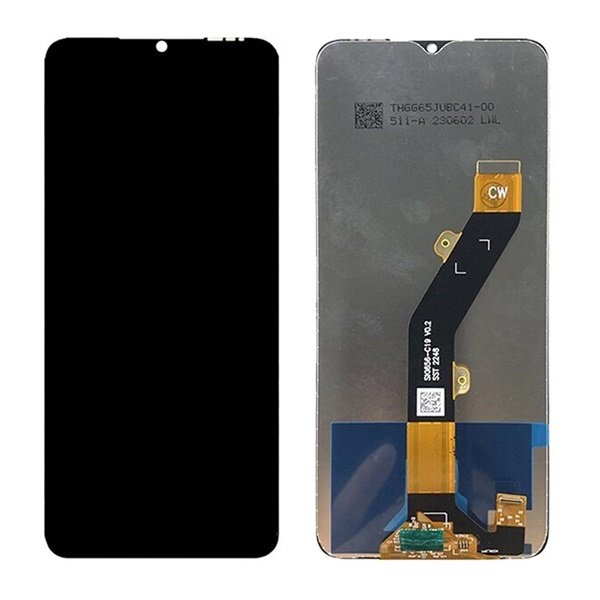
Tecno Spark Slim Screen Replacement Price in Kenya
The Tecno Spark series has emerged as a prominent player in the smartphone market, particularly appealing to budget-conscious consumers. Launched by Tecno Mobile, the Spark series offers a combination of stylish design, decent performance, and compelling specifications that cater to the demands of everyday users. The phones in this series are known for their vibrant displays, extended battery life, and user-friendly interfaces, making them a popular choice in various regions around the globe, especially in Africa.
Key features of the Tecno Spark phones often include large screen sizes with impressive resolutions, sufficient internal storage options, and the capability to accommodate dual SIM cards. Additionally, these devices frequently come with commendable camera systems, enabling users to capture high-quality images and videos. Despite their affordability, Tecno Spark phones often mimic more premium features found in high-end models, solidifying their appeal to a wider audience.
With the increased reliance on smartphones for daily tasks, the importance of maintaining the device’s screen cannot be overstated. Screen damage is an unfortunate but common issue faced by many Tecno Spark users. Frequent accidents such as drops or impacts can result in cracked screens or unresponsive touch functionalities. Such damages can severely hinder the overall user experience, necessitating timely repairs to restore the device’s usability.
Users may encounter various screen-related issues, ranging from minor scratches to significant cracks that impair visibility. Addressing these concerns early is essential, as prolonged usage of a damaged screen can lead to more extensive internal damage and reduced phone longevity. Therefore, understanding the Tecno Spark series and the common screen problems associated with it is crucial for any user looking to maintain their device effectively.
The Tecno Spark screen is composed of three primary components: the display panel, the digitizer, and the outer glass. Each part plays a crucial role in ensuring a seamless user experience while using the device. Understanding these components can be beneficial when considering a screen replacement, as each element significantly affects the performance and usability of the Tecno Spark.
The display panel, often known as the LCD (Liquid Crystal Display), is responsible for rendering the images and videos displayed on the screen. This panel is crucial for color reproduction, brightness, and clarity. A high-quality display is essential for an enhancing visual experience, enabling users to enjoy vibrant graphics and sharp text. If the display is damaged, it can lead to issues such as poor visibility, color distortion, or even total failure of the screen display.
The digitizer is the component that detects touch inputs. It operates by sensing finger movements on the screen and translating them into corresponding actions from the device. For a device like the Tecno Spark, which relies heavily on touchscreen functionality, a properly functioning digitizer is essential. Damage to this component can result in an unresponsive screen or erratic touches, making it difficult to navigate or use applications effectively.
Finally, the outer glass layer serves as the protective barrier for both the display and the digitizer. It safeguards against scratches, cracks, and other potential damage. While this layer primarily protects the internal components, a damaged glass can also affect touch sensitivity and visual clarity; for instance, cracks can distract users or make the screen difficult to read. Thus, all three components must be in optimal condition for the Tecno Spark to function effectively.
Signs You Need a Screen Replacement
Recognizing the need for a Tecno Spark Slim screen replacement is crucial for ensuring your device continues to function effectively. Several indicators can point to a compromised screen, and addressing these issues promptly can prevent further damage and enhance your device’s usability.
One of the most evident signs of screen damage is the presence of cracks or scratches. If your Tecno Spark Slim screen has visible cracks, it not only affects the aesthetic appeal but also raises the risk of further damage to internal components. Minor scratches may be less concerning, but extensive cracking can lead to the glass shattering completely if not addressed in a timely manner.
Another common issue is the emergence of black spots or discoloration on the screen. These spots can indicate underlying damage to the display itself. In some cases, the display may also show lines or fading colors, which may compromise the visual experience. If you observe any of these signs, it is advisable to consider a screen replacement.
The responsiveness of the touch screen is another critical factor to examine. If you notice that certain areas of the screen do not respond to touch input, it may suggest that the digitizer is damaged. Lagging touch response can hinder your ability to navigate your device efficiently, pointing to the need for a professional assessment of the screen.
Lastly, if your Tecno Spark Slim screen is in functioning condition, yet you experience intermittent blackout issues or frequent glitches, this can suggest an issue with the screen or the connections within. Assessing these issues early can save you from a more complex repair or a complete device failure. It’s always advisable to seek professional help if you are uncertain about the level of damage.
DIY vs Professional Screen Replacement
When it comes to replacing the screen of your Tecno Spark, one of the pivotal decisions you will face is whether to undertake the task yourself or seek the assistance of a professional. Each option presents distinct advantages and drawbacks that should be thoroughly evaluated before proceeding.
Choosing the do-it-yourself (DIY) approach can be appealing due to the potential cost savings. Performing a screen replacement on your own allows you to avoid service fees and labor costs charged by repair shops. Furthermore, DIY projects can be a gratifying learning experience, enhancing your technical skills and knowledge about your device. However, it is essential to recognize that a successful DIY replacement requires a certain level of expertise. You should be comfortable handling delicate components and have access to the necessary tools, including screwdrivers, prying tools, and adhesive. Additionally, there is a risk of further damaging the device if the process is not executed correctly, which could lead to additional repair costs.
On the other hand, opting for professional screen replacement services comes with its set of benefits. Professionals possess the requisite experience and technical know-how to conduct repairs efficiently and accurately. They are likely familiar with the specific nuances of the Tecno Spark model, which can significantly reduce the time involved in the replacement process. Furthermore, professional technicians generally provide warranties on their services, ensuring that you are covered should any issues arise post-repair.
However, relying on professional services can be more expensive than a DIY approach. Therefore, it is crucial to weigh the level of expertise you possess against the convenience and assurance of relying on qualified technicians. This assessment will ultimately guide your decision on whether a DIY screen replacement or a professional service is the right choice for your needs.
How to Prepare for a Screen Replacement
Replacing the screen of your Tecno Spark Slim is a meticulous process that requires proper preparation. The first step is to gather all the necessary tools and materials. You will need a small Phillips screwdriver, a suction cup tool, a plastic prying tool, and adhesive strips specifically designed for screen replacements. Additionally, ensure you have a clean workspace and a microfiber cloth to avoid dust settling on the new screen.
Before starting the replacement, it is essential to follow some safety tips. Firstly, make sure your device is powered off and remove the SIM card and external memory card. Wearing anti-static wrist straps can also help protect sensitive components from electrostatic discharge during the process. It is advisable to work in a well-lit environment and to have good visibility of your workspace.
Preparation steps involve carefully analyzing the condition of your current screen. If there are significant cracks or damage, it is best to replace the screen as soon as possible. You may need to consult the Tecno Spark Slim user manual or online resources for guidance on the specific model and part number of the replacement screen. This is crucial, as compatibility can vary among different versions of the device. Consider purchasing screens from reputable suppliers to ensure quality and longevity.
To find the right replacement screen, you can explore various online marketplaces or specialized electronics retailers. Read through customer reviews and seller ratings to gauge the reliability of the product. Lastly, double-check that the screen comes with all necessary components, such as the touch digitizer, to ensure a full replacement. By preparing adequately and sourcing the correct materials, you pave the way for a successful Tecno Spark Slim screen replacement.
Step-by-Step Guide to Replacing Your Tecno Spark Screen
Replacing the screen on your Tecno Spark can seem daunting, but with a clear step-by-step guide, you can tackle this project effectively. The first step is to gather all necessary tools, which include a small Phillips screwdriver, plastic prying tools, a suction cup, and a heat gun or hairdryer to soften the adhesive. Ensure that you have a replacement screen compatible with the Tecno Spark model.
Begin by powering off your device. This is crucial for safety and to avoid any potential damage during the process. Next, use the heat gun or hairdryer to gently warm the edges of the phone’s screen to soften the adhesive that holds it in place. Be careful not to overheat, as this could damage internal components.
Once the device is warmed, apply the suction cup near the edge of the screen. Pull gently to create a small gap, and insert a plastic prying tool into the opening. Carefully slide the tool around the edges to detach the screen from the adhesive. Take your time during this step to avoid cracking the screen.
After the old screen is detached, you will see the internal components of your Tecno Spark. Disconnect the battery to prevent any electrical issues, and then proceed to unplug the cables attaching the screen to the circuit board. Make sure to note the arrangement of these cables for an easy reinstallation.
With the old screen removed, you can now align the new screen correctly with the phone’s body. Reconnect all cables and the battery before sealing the device. Press gently around the edges to ensure that the adhesive sticks properly. Allow some time for the adhesive to set before using the phone again.
Replacing your Tecno Spark’s screen at home can save you money and provide satisfaction as you restore your device to its original state. Ensure that you follow each step carefully and take your time to avoid any errors. With patience and precision, your Tecno Spark will be as good as new.
Post-Replacement Care Tips
After replacing the screen of your Tecno Spark Slim, it is crucial to implement proper care practices to ensure the longevity and functionality of the new screen. First and foremost, handling the device with care is essential. Avoid dropping the phone or applying excessive pressure to the screen, as even minor impacts can lead to damage.
When it comes to cleaning the new screen, use a microfiber cloth specifically designed for electronics. This type of cloth effectively removes fingerprints, dust, and smudges without scratching the surface. For deeper cleaning, slightly dampen the cloth with water or a screen-safe cleaning solution. It is important to avoid using abrasive materials and harsh chemicals, as these can deteriorate the quality of the screen.
Protecting your new screen from potential damage is another critical aspect of post-replacement care. Consider investing in a screen protector, which can provide an additional layer of defense against scratches and cracks. Tempered glass protectors offer excellent protection while maintaining touch sensitivity and clarity. Additionally, using a protective case will help shield the phone from impacts and accidental drops.
Temperature extremes can also affect the integrity of the screen. Avoid leaving your device in very hot or cold environments, such as a car on a hot day or outside during freezing temperatures. Maintaining a moderate temperature can contribute significantly to the screen’s overall health.
Lastly, it’s advisable to periodically check the screen for any signs of issues, such as flickering or unresponsive areas. Addressing these matters early can prevent further complications. By following these care tips, you can enjoy your Tecno Spark Slim’s new screen for an extended period, minimizing the risk of future damage.
Cost Analysis of Screen Replacement Options
When facing a screen replacement for the Tecno Spark, understanding the financial implications of both DIY and professional options is paramount. The choice between these two alternatives significantly influences the overall cost, and several factors should be considered.
For those opting for a do-it-yourself (DIY) screen replacement, the primary costs center around purchasing the replacement screen and the necessary tools. On average, Tecno Spark screens can range from $40 to $80 depending on the quality and source. Additional tools, such as screwdrivers or adhesive, may add another $10 to $20. Thus, the total cost for a DIY replacement typically falls between $50 and $100. However, buyers should also consider the time investment and the potential costs associated with mistakes made during the repair process.
In contrast, professional screen replacement services generally charge more due to labor costs and expertise. Depending on the service provider and geographical location, professional repairs may range from $80 to $150, with an average price of around $120. This cost can fluctuate based on warranty coverage, service guarantees, or the need for additional repairs during the replacement process. Furthermore, some technicians may offer mobile services, which could introduce additional travel charges.
Ultimately, the choice between DIY and professional assistance for the Tecno Spark screen replacement should hinge on various aspects, including the individual’s technical skills, budget constraints, and the value placed on time versus money. Understanding these variables can guide consumers in making an informed decision on which route aligns best with their needs.
Conclusion and Final Thoughts
Addressing screen issues promptly is crucial for ensuring the continued functionality and longevity of your Tecno Spark device. A damaged or malfunctioning screen can significantly hinder your user experience, making it essential to tackle these problems as soon as they arise. Ignoring cracks, unresponsive touch functionality, or display anomalies can lead to more severe complications, including further damage or even failure of other internal components. Therefore, recognizing and acting on screen concerns is paramount.
When it comes to screen replacement options, it is important for users to consider several factors to make an informed decision. The first step is to assess the type and extent of the damage; this will often dictate whether a repair is necessary or if a complete screen replacement is the best course of action. Next, users should evaluate the various avenues available to them, whether it be professional repair services, authorized service centers, or self-repair practices using DIY kits.
In addition to cost considerations, the quality of the replacement screen is a critical factor. Opting for high-quality parts can significantly affect the performance and appearance of the restored screen, ensuring that the device continues to deliver an optimal user experience. Choosing the right service or method also involves weighing the warranty options and potential risks associated with poor-quality replacements.
In conclusion, prompt attention to screen issues can save time and money while preserving the value and usability of the Tecno Spark device. By carefully considering the available replacement options and making informed decisions, users can restore their device to peak performance and maintain the quality expected of it.}

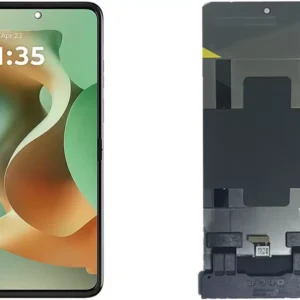 Motorola Razr 60 Ultra 5G Screen Replacement
1 × KSh 35,000.00
Motorola Razr 60 Ultra 5G Screen Replacement
1 × KSh 35,000.00  Tecno Spark 40 Pro KM6 Battery Replacement
1 × KSh 3,000.00
Tecno Spark 40 Pro KM6 Battery Replacement
1 × KSh 3,000.00 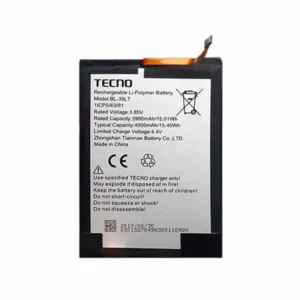 Tecno Spark 30S (CLA5) Battery Replacement
1 × KSh 2,000.00
Tecno Spark 30S (CLA5) Battery Replacement
1 × KSh 2,000.00  OnePlus Nord CE5 12GB/256GB
1 × KSh 49,000.00
OnePlus Nord CE5 12GB/256GB
1 × KSh 49,000.00  Google pixel 8 Pro Screen Replacement
1 × KSh 25,000.00
Google pixel 8 Pro Screen Replacement
1 × KSh 25,000.00  Google pixel 9 Pro Screen Replacement
1 × KSh 18,000.00
Google pixel 9 Pro Screen Replacement
1 × KSh 18,000.00  Tecno Spark 40 KM5 Screen Replacement
1 × KSh 7,000.00
Tecno Spark 40 KM5 Screen Replacement
1 × KSh 7,000.00  Tecno Spark 40 Pro KM6 Screen Replacement
1 × KSh 7,500.00
Tecno Spark 40 Pro KM6 Screen Replacement
1 × KSh 7,500.00  Oneplus Nord CE5 Battery Replacement
1 × KSh 3,000.00
Oneplus Nord CE5 Battery Replacement
1 × KSh 3,000.00 


There are no reviews yet.