
-
×
 Tecno Camon 20 Premier 5G
1 × KSh 55,500.00
Tecno Camon 20 Premier 5G
1 × KSh 55,500.00
Subtotal: KSh 55,500.00
Availability:In Stock!
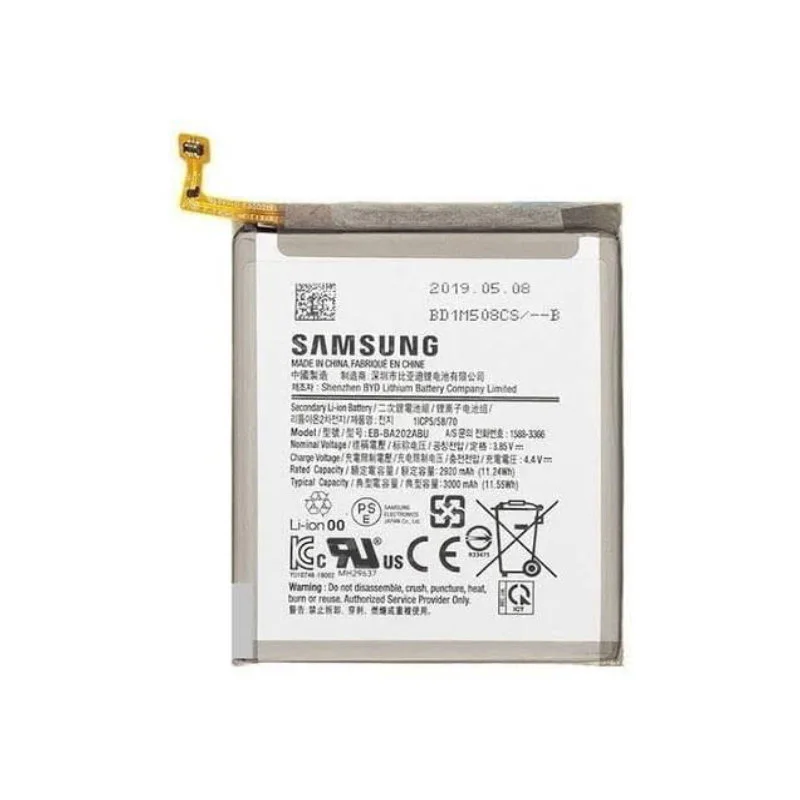
Original Battery
Long-lasting Performance
High Capacity
Safe and Reliable
Perfect Fit
Fast Charging Support
Durable Quality
Professional Installation
Extended Phone Life
KSh 1,800.00
CompareThe battery is a fundamental component of any smartphone, including the Samsung Galaxy A55, as it directly influences the device’s performance and user experience. A healthy battery ensures that the phone operates efficiently, provides reliable power, and supports the myriad of tasks users engage in throughout the day. As smartphones become increasingly integral to daily life, understanding the importance of battery replacement becomes vital for maintaining optimal functionality.
Over time, smartphone batteries degrade, which can lead to several issues that affect usability. One of the most common problems associated with a failing battery is battery drain, where the device loses power more quickly than expected, requiring frequent recharging. This inconvenience can disrupt workflows and impact leisure activities, making it crucial for users to monitor their battery health regularly. Additionally, a degraded battery can potentially lead to overheating issues, which not only affects comfort but can also cause further damage to internal components. In some cases, a failing battery may cause unexpected shutdowns, rendering the device temporarily unusable and causing disturbances to important tasks or communications.
Typically, smartphone batteries have a lifespan of about 2 to 3 years, with performance gradually declining over time. Various factors affect battery longevity, including usage patterns, charging habits, and environmental conditions. Users should consider replacing their batteries when they notice significant drops in performance or experience consistent issues related to power. Proactive battery replacement can prevent further complications and extend the overall life of the Samsung Galaxy A55.
Delaying battery replacement poses various risks, including potential safety hazards and decreased functionality. A bulging or leaking battery may present a serious health risk, while continuing to use a deteriorating battery may lead to complications in device operation. Therefore, understanding the importance of battery replacement not only ensures a better user experience but also safeguards the integrity of the smartphone.
The Samsung Galaxy A55, like any smartphone, may exhibit signs that indicate its battery requires replacement. Recognizing these signs is vital for ensuring the device continues to operate efficiently. One of the most common indicators is rapid battery depletion. Users may notice that their phone discharges much faster than usual, even with regular usage patterns. This unusual battery drain can significantly hinder the overall user experience, necessitating an evaluation of the battery’s health.
Another symptom to be aware of is battery swelling. If the device’s back cover appears bulged or the screen is popping out, these could be clear signs that the battery has physically expanded due to internal damage or a chemical reaction. This condition poses potential safety hazards and should be addressed immediately by seeking a replacement to avoid any risk to the device or user.
Overheating is also a pertinent sign notifying users that a new battery may be needed. If you find your Samsung Galaxy A55 becoming excessively hot during use or charging, it is essential to investigate further, as this could indicate battery failure. Persistent overheating can damage other internal components over time, escalating the need for urgent battery replacement.
Physical damage to the battery, such as cracks or corrosion on the terminals, can also signal a need for change. It is also advisable to carry out software checks to rule out applications causing excessive battery drain. Restarting the device or performing a factory reset might lead to identifying whether the concern lies with software performance rather than hardware failure. If all signs point to the battery’s decline, considering a replacement is the best option to restore your Samsung Galaxy A55 to optimal functionality.
Replacing the battery of your Samsung Galaxy A55 can seem daunting, but with the right tools and instructions, it can be done efficiently. Begin by gathering the necessary tools: a heat gun or hairdryer, a plastic spudger, tweezers, and a Phillips screwdriver. Ensure you have a replacement battery compatible with your Galaxy A55 model. Before proceeding, it is crucial to power off the device and remove any SIM cards and memory cards, safeguarding your data during the process.
Start by applying gentle heat around the edges of the back cover using the heat gun or hairdryer. This will soften the adhesive, making it easier to remove the cover. Using the plastic spudger, carefully pry open the back cover, taking care not to damage any internal components. Once the back cover is off, you will expose the battery compartment. Disconnect the battery connector from the motherboard using the tweezers or your fingers, ensuring you detach it gently to avoid any damage.
After disconnecting the old battery, take it out of the compartment. Place the new battery in the same orientation as the original, ensuring a snug fit. Reconnect the battery connector to the motherboard, making sure it is firmly secured. Before closing the back cover, it’s wise to power on the device to confirm that the new battery is functioning correctly. If the device powers up without any issues, proceed to secure the back cover by applying some adhesive if required.
In case you encounter common issues, such as the device not powering on, ensure that the battery connector is properly seated. If the phone still doesn’t respond, consider checking the new battery’s compatibility. Finally, if everything works smoothly, your Samsung Galaxy A55 is ready for use with its new battery. Following these steps ensures a successful and safe battery replacement process.
When it comes to replacing the battery of your Samsung Galaxy A55, selecting high-quality components is paramount. Genuine replacement batteries ensure optimal performance and longevity, helping to mitigate any potential risks of damage to your device. One should always seek out authorized retailers or official Samsung sources when looking for replacement options. Authorized online platforms such as Samsung’s official website provide not only genuine batteries but also warranties that help protect your investment.
In addition to official channels, several reputable online retailers, such as Amazon and Best Buy, also offer genuine replacement batteries. However, ensure you verify the seller’s ratings and reviews to avoid third-party counterfeit products that may not meet the high standards required for your device. Always look for batteries that come with proper certifications, as this will serve as a guarantee of quality. For those who prefer a traditional shopping experience, local Samsung stores and authorized service centers often stock reliable batteries, making them a convenient option.
Regarding professional assistance, certain signs indicate when it is best to seek help. If your Galaxy A55 experiences rapid battery drain, overheating during use, or physical swelling, it is prudent to consult a professional. Choosing authorized service centers over third-party providers is recommended due to their adherence to stringent quality and safety regulations. These authorized technicians possess the necessary expertise and access to genuine parts, ensuring that the repair process aligns with Samsung’s standards.
Ultimately, investing in a genuine replacement battery through trusted channels and considering professional assistance when necessary can significantly enhance the lifespan and performance of your Samsung Galaxy A55.
Select at least 2 products
to compare


Arlen –
casino drive furiani
References:
https://pads.zapf.in/s/TJnpFyjnbZ
Arlen –