

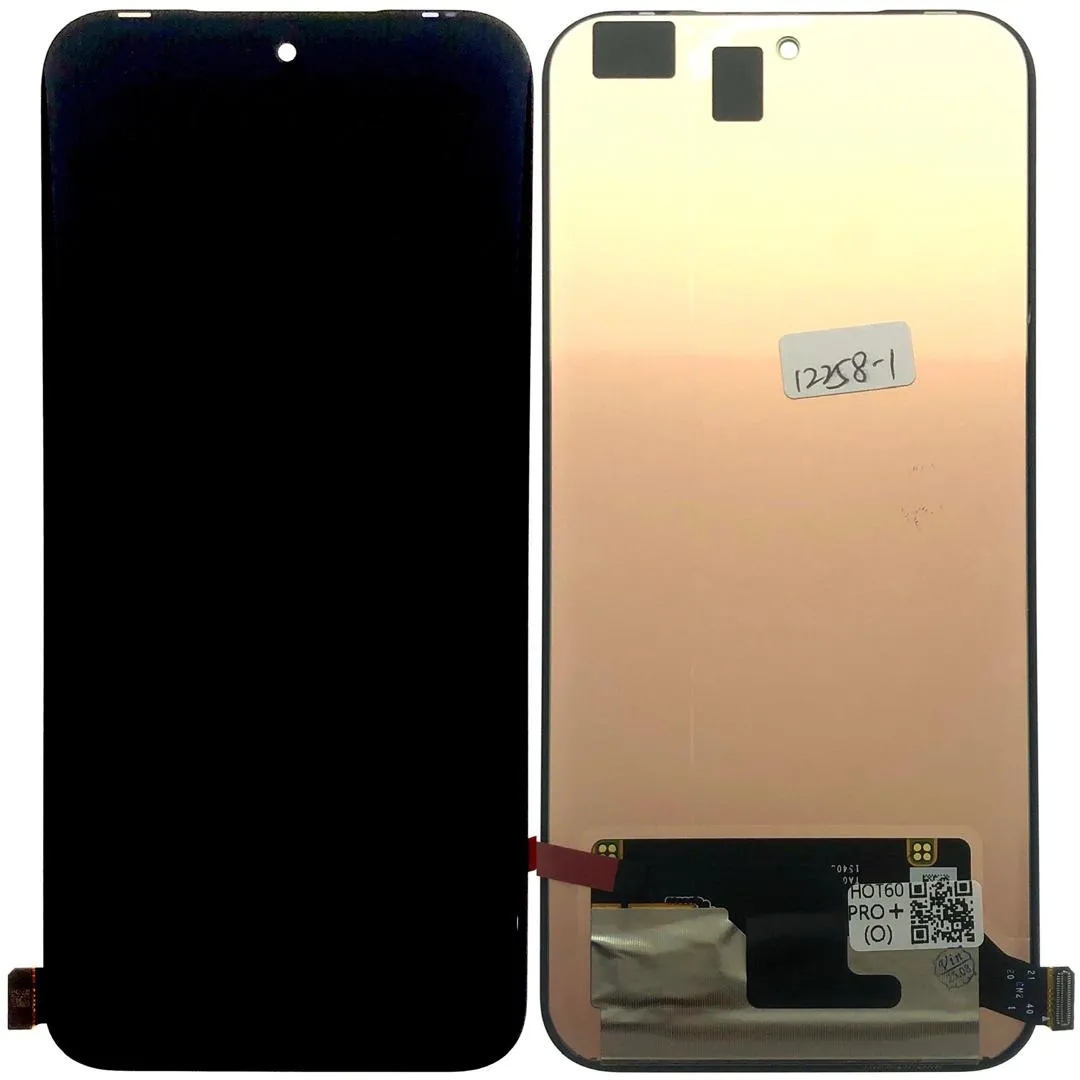
Infinix Hot 60 Pro Plus (X6886) Screen Replacement
Availability:In Stock!
-
Infinix Hot 60 Pro Plus (X6886) screen replacement
-
Compatible display assembly
-
High-quality LCD + touch screen
-
Precise fit for X6886 model
-
Restores touch and display functions
-
Professional installation recommended
KSh 8,000.00
CompareInfinix Hot 60 Pro Plus (X6886) Screen Replacement Description
The Infinix Hot 60 Pro Plus (X6886) features a high-quality display that significantly enhances the user experience. It is equipped with a 6.7-inch IPS LCD screen, offering a vibrant and immersive visual experience. The resolution of the display stands at 1080 x 2400 pixels, ensuring sharp and clear images, with a pixel density of approximately 393 pixels per inch. This combination of size and resolution makes it suitable for various activities, including streaming videos, gaming, and browsing the web. The IPS technology used in the screen provides wide viewing angles and accurate color reproduction, which is essential for multimedia consumption.
Despite the robust design and technology, several factors may lead users to seek a screen replacement for the Infinix Hot 60 Pro Plus (X6886). Accidental drops are one of the most common issues; even a minor fall can cause cracks or shattering of the display glass. In addition, exposure to water can lead to significant screen damage, affecting not only the display but also the internal components of the device. Manufacturing defects can also occur, leading to issues such as dead pixels or screen flickering, which may necessitate a replacement.
Understanding the screen’s specifications is crucial for anyone considering a repair or replacement of the display. Knowing the exact dimensions and types of technology ensures that users select compatible replacement parts, leading to effective results and preserving the phone’s overall functionality. Furthermore, being aware of the specifications aids in identifying a reliable technician or service center capable of performing the repair efficiently. Therefore, understanding the display aspects of the Infinix Hot 60 Pro Plus (X6886) is essential for effective screen management and care.
Tools and Materials Needed for the Replacement
When undertaking a screen replacement for the Infinix Hot 60 Pro Plus (X6886), it is essential to have the right tools and materials at your disposal. This will facilitate the process and increase the chances of a successful outcome. Below is a comprehensive list of the required tools and materials.
First and foremost, a set of precision screwdrivers is paramount. You will need a Phillips screwdriver and a flathead screwdriver to remove the screws that secure the screen to the device’s frame. Additionally, a T5 or T6 Torx screwdriver may be necessary depending on the model specifics. Using the correct screwdriver type prevents stripping the screws, ensuring a smooth disassembly.
Suction cups play a significant role in safely lifting the screen away from the device’s body without causing damage. Alongside this, plastic prying tools are indispensable for gently separating the adhesive bonds around the edges of the screen. These tools help avoid any potential scratches or marks that metal tools might cause.
Another important tool is a pair of tweezers, which will assist you in handling small components and screws during the replacement process. They provide precision control necessary for delicate operations. Additionally, having an anti-static wrist strap is advisable, as it helps prevent electrostatic discharge that could harm the electronic components.
Next, ensure you have the high-quality replacement screen specifically for the Infinix Hot 60 Pro Plus (X6886). Using a genuine or high-quality aftermarket screen is crucial for maintaining the device’s durability and functionality. Furthermore, the use of strong adhesive to secure the new screen firmly in place cannot be overlooked. Lastly, consider wearing safety glasses and gloves to protect yourself during the repair process.
Having all these tools and materials readily available will simplify the screen replacement process and contribute to achieving satisfactory results.
Step-by-Step Guide to Replacing the Screen
To successfully replace the screen on the Infinix Hot 60 Pro Plus (X6886), it is essential to follow a systematic approach that ensures minimal risk of damaging other components during the process. Begin by preparing your workspace, gathering the necessary tools which typically include a heat gun, Phillips screwdriver, plastic spudger, and replacement adhesive. Make sure to work in a clean and well-lit area.
The first step in the process is to power off the device completely. This is crucial to avoid any potential electrical damage. Following this, use the heat gun gently around the edges of the screen to soften the adhesive. Be cautious not to apply excessive heat as this may damage internal components. With the heat applied, use the spudger to carefully pry open the screen. Start from one corner and gradually work your way around, applying more heat as necessary.
Once the screen is loosened, detach the connectors carefully. It is advisable to make a note of the connector locations or take a reference picture to assist in the reassembly. After removing the old screen, clean any leftover adhesive residue from the device frame to ensure a smooth installation for the new screen. When ready, take the replacement screen and align it with the connectors and frame accurately.
Gently press down on the new screen to secure it in place before reconnecting all the cables. Ensure each connector clicks securely into its corresponding port. After reassembly, use adhesive to hold the screen firmly, and leave it to set according to the manufacturer’s instructions. Finally, reattach any screws you removed and power on your device to verify that the screen replacement was successful. Taking the necessary precautions and following each step meticulously will help in achieving optimal results.
Troubleshooting Common Issues After Replacement
After replacing the screen of your Infinix Hot 60 Pro Plus (X6886), users may encounter several common issues. These problems can affect the device’s functionality and overall user experience. Addressing these concerns promptly is essential to ensure that the smartphone operates correctly post-repair.
One of the most frequent issues reported is related to touchscreen sensitivity. Following a screen replacement, some users may notice that the touchscreen does not respond accurately or is unresponsive altogether. To troubleshoot this issue, first ensure that the screen is clean and free of debris, as dirt can impact touch sensitivity. If the problem persists, recalibrating the touchscreen may help. This can often be done through the device settings, where users can search for a ‘calibrate’ option under display settings. If recalibration fails to rectify the sensitivity issues, it may indicate a faulty installation or that the screen itself is defective.
Another common complication is display color inaccuracies. Users may observe that the colors appear dull or washed out post-replacement. To resolve this, check the settings on your Infinix Hot 60 Pro Plus (X6886) under ‘Display’ where options for color profiles can be adjusted. If these settings do not improve the display quality, it could be a sign of an incompatible or defective screen that requires further inspection. Additionally, review any software updates available for your device as updates can sometimes resolve display anomalies.
Connectivity issues, such as Wi-Fi or Bluetooth problems, might also arise following a screen replacement. If users experience unexpected disconnections, a restore of the device network settings may help. This step usually resolves minor connectivity issues, but if the situation does not improve, it may indicate more profound hardware problems stemming from the replacement process.
If any of these problems persist despite troubleshooting efforts, it is advisable to consult professional repair services. They have the expertise to diagnose deeper issues that could have arisen during the screen replacement, ensuring that your Infinix Hot 60 Pro Plus functions correctly once more.


Kendra –
casino jack and the united states of money
References:
https://hiphopmusique.com/imabey30867292
Kendra –