

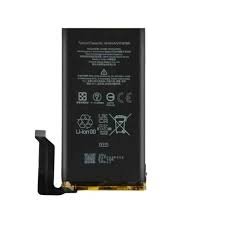
Google pixel 9 Pro Battery Replacement
Availability:In Stock!
-
Google Pixel 9 Pro Battery Replacement
-
Original high-capacity battery
-
Compatible with Pixel 9 Pro model
-
Restores full battery performance
-
Safe and durable replacement
-
Professional installation recommended
KSh 3,500.00
CompareGoogle pixel 9 Pro Battery Replacement in Kenya
The Google Pixel 9 Pro is the latest flagship smartphone from Google, showcasing the company’s commitment to innovation and cutting-edge technology. With a sleek design and premium materials, the Pixel 9 Pro features a 6.7-inch LTPO OLED display that provides vibrant colors and depth, enhancing the visual experience for users. The device is powered by the advanced Google Tensor chipset, which supports high-performance computing and seamless multitasking capabilities. With options for storage ranging from 128GB to 512GB, users can choose the model that best fits their needs.
One of the highlights of the Pixel 9 Pro is its camera system, which includes a triple-lens setup that captures stunning photographs in various lighting conditions. The inclusion of features such as Night Sight, Magic Eraser, and Real Tone ensures that users can take professional-quality images effortlessly. Furthermore, the phone runs on Android, ensuring a user-friendly interface with regular updates and security patches. As a premium device, the Pixel 9 Pro is also equipped with 5G capabilities, providing users with fast and reliable connectivity.
While the Google Pixel 9 Pro boasts impressive specifications and features, maintaining battery health is crucial for optimal performance and longevity. Over time, like any smartphone, the battery may lose its efficiency, leading to decreased usage time and potential issues such as unexpected shutdowns or slow charging. Recognizing these typical problems is essential for users to ensure that their device continues to function effectively. As the device ages, users may find themselves considering battery replacement as a necessary step for retaining the performance and longevity of their Google Pixel 9 Pro. Understanding the importance of battery maintenance sets the foundation for exploring replacement options and strategies in the subsequent sections.
Signs That Your Battery Needs Replacement
As technology advances, the performance of smartphones like the Google Pixel 9 Pro is heavily dependent on the health of their batteries. Recognizing the symptoms of a failing battery is crucial for maintaining optimal device functionality. One of the most prevalent indicators of battery issues is rapid battery drain. If your Google Pixel 9 Pro loses power significantly faster than it did when new, it may be time to assess the battery’s health. This decline in battery life is often noticeable during daily usage, leading to frequent recharges that can be both inconvenient and indicative of underlying problems.
Another sign that your battery may require replacement is unusual heating of the device. While some warmth is normal during charging or heavy use, consistent overheating can point to a failing battery. An overheated battery not only affects performance but may also pose safety risks, making it necessary to address this issue promptly. If you find that your Pixel 9 Pro feels excessively hot even during normal operations, it is advisable to investigate further.
Additionally, failure to hold a charge can be a telltale sign of battery deterioration. If your phone struggles to retain power after being charged or dies unexpectedly, this can signal that the battery is no longer capable of performing its critical function. Unexpected shutdowns, in particular, are alarming and can interrupt important activities, further emphasizing the need for battery evaluation. With these signs, users are encouraged to promptly check the battery health of their Google Pixel 9 Pro, ensuring seamless and reliable usage. Awareness of these symptoms can facilitate timely replacements, ensuring the device remains functional and efficient for daily tasks.
Battery Replacement Options: DIY vs. Professional Service
When it comes to replacing the battery of your Google Pixel 9 Pro, users are often faced with the dilemma of whether to undertake a do-it-yourself (DIY) replacement or to enlist the help of a professional service. Each option has its own advantages and disadvantages that can impact both the cost and the outcome of the battery replacement process.
A DIY battery replacement can be a cost-effective solution, as utilizing online resources and instructional videos can significantly diminish labor costs. Typically, the only expenses incurred involve purchasing the replacement battery and the essential tools. These tools may include a heating source, suction cup, and various screwdrivers specifically for smartphones. However, this option demands a certain level of technical proficiency and confidence; users with minimal experience in electronic repairs may encounter challenges that could complicate the process further.
Risk factors associated with a DIY approach should also be considered. If not performed correctly, a self-service battery replacement could lead to damage not only to the new battery but also to other components within the device. Furthermore, taking apart your Google Pixel 9 Pro may void any existing warranties. On the other hand, a professional battery replacement typically assures a higher degree of reliability. Trained technicians possess the expertise needed to navigate the intricacies of smartphone repairs and can often complete the process more efficiently than untrained individuals.
Professional services usually come with the additional benefit of warranties on parts and labor, providing peace of mind for consumers. In general, while a DIY approach may appear attractive due to lower upfront costs, the potential long-term implications highlight the importance of evaluating both the immediate financial considerations and anticipated outcomes. Ultimately, the decision between DIY and professional service should align with the user’s skill level, comfort with technology, and the specific needs of their device.
Gathering Necessary Tools and Materials for DIY Replacement
Undertaking a DIY battery replacement for the Google Pixel 9 Pro requires careful planning and the right set of tools to ensure the process is smooth and efficient. First and foremost, a compatible replacement battery is essential. When sourcing this critical component, opt for reputable vendors that offer high-quality products. Websites such as iFixit, Amazon, or specialized electronic parts suppliers often have trustworthy options. Ensure the battery matches the specifications for the Google Pixel 9 Pro to avoid compatibility issues.
In addition to a new battery, gathering the necessary tools will facilitate the replacement process. Key tools include a precision screwdriver set, specifically a Pentalobe and Phillips screwdriver, which are instrumental in removing the device’s casing screws. Moreover, a plastic prying tool is beneficial for carefully separating the screen from the body without causing damage. This tool helps in maneuvering through the adhesive that holds the screen in place.
To effectively manage the adhesive strips used during reassembly, consider purchasing adhesive replacement strips designed for the Google Pixel 9 Pro. These ensure a secure fit once the new battery is installed. Additionally, a pair of tweezers can be helpful for handling small components and connectors within the device.
For enhanced safety, it is advisable to have an anti-static wrist strap to prevent any electrostatic discharge that might harm internal components during the replacement. Lastly, an organized workspace with proper lighting will enhance visibility and reduce the likelihood of losing small screws or tools. Prioritizing the collection of these tools and materials will significantly contribute to a successful DIY battery replacement experience for your Google Pixel 9 Pro.
Step-by-Step Guide to Replacing Your Pixel 9 Pro Battery
Replacing the battery of your Google Pixel 9 Pro can extend its lifespan and improve performance. Follow these detailed steps to ensure a successful battery replacement while prioritizing safety and efficiency.
Before starting, gather the necessary tools: a heat gun or hairdryer, suction cup, plastic prying tools, and a T3 Torx screwdriver. You may also need a new battery, which can be purchased from reputable suppliers. Ensure your workspace is clean and free from static electricity.
First, power off your Pixel 9 Pro completely. This reduces the risk of damaging the device during the process. Using the heat gun or hairdryer, apply gentle heat around the edges of the device for about 30 seconds, aiding in loosening the adhesive that holds the screen in place.
Next, carefully use the suction cup to lift the screen. Insert the plastic prying tool into the gap created by the suction cup, and gently run it along the edge to release the adhesive. Take care not to insert the tool too deeply to avoid damaging the internal components. Once the screen is loose, lift it gently from the device, ensuring you do not pull it apart completely as it is still connected by cables.
After separating the screen, locate the battery connector and use the T3 Torx screwdriver to remove any screws that secure the battery to the motherboard. Disconnect the battery cable with the plastic tool, ensuring that you do not apply excessive force.
Remove the old battery by gently pulling it from its adhesive mount. Apply a similar process to install the new battery. Ensure it is placed correctly and reconnect the battery cable to the motherboard. Finally, reposition the screen, ensuring that all clips snap back into place, and you may need to apply new adhesive if the existing is no longer effective.
Reassemble your Pixel 9 Pro, power it on, and enjoy your improved device with a fresh battery!
Post-Replacement: Testing and Calibration
Once you have successfully replaced the battery of your Google Pixel 9 Pro, it is crucial to ensure that the new component is functioning optimally. Testing and calibrating the battery will help you determine if the replacement was successful and can enhance the overall performance of your device.
Begin the testing process by charging the device fully. Connect the charger and allow the Pixel 9 Pro to reach 100% battery capacity. Once charged, observe the performance of the device under typical usage scenarios. Monitor how long the battery lasts during regular tasks such as browsing, streaming videos, and utilizing applications. This will provide you with a baseline for your battery’s performance compared to the previous one.
To calibrate the new battery, it is essential to deplete it completely and then recharge it back to 100% in one go. This cycle helps the battery management system accurately gauge the remaining battery percentage. When discharging, ensure that you do not let the battery drain excessively as this could harm lithium-ion batteries. A complete cycle every few months can maintain battery health and prolong its lifespan.
When it comes to charging routines, try implementing a pattern that allows the battery to remain between 20% and 80% for regular everyday use. Frequent 0% discharges and 100% charges can wear the battery down quicker. Additionally, consider using the Adaptive Battery feature of Google Pixel devices, which optimizes battery usage by learning your habits and controlling background processes effectively.
Moving forward, it is essential to keep an eye on your battery health. You can view the battery status and usage statistics in the device settings. If you notice a significant decrease in performance over time, further investigation may be necessary to ensure that the new battery is operating as expected.
Troubleshooting Common Issues After Replacement
After replacing the battery of your Google Pixel 9 Pro, it is not uncommon to encounter issues that may stem from the replacement process. Identifying and troubleshooting these problems is essential to ensure that your device operates as intended with optimal battery performance. Below, we explore some common difficulties users may face following a battery replacement and provide possible solutions.
One prevalent issue is the device failing to power on. If your Pixel 9 Pro does not respond when you press the power button, ensure that the new battery is properly connected. Disconnect and reconnect the battery, making sure that all connectors are secure. In some cases, a soft reset may also help. To perform a soft reset, press and hold the power button for about ten seconds or until you see the Google logo. If the device still does not power on, it might be beneficial to try charging it with a different cable or charger to rule out power supply issues.
Charging problems can also arise after battery replacement. If your phone either fails to charge or charges very slowly, check for any debris in the charging port that may impede connection. Cleaning the port gently with a soft brush or toothpick can often resolve the issue. Additionally, verify that you are using a compatible charger as some devices may only charge efficiently with specific tech, such as fast-charging cables. If these checks do not resolve the problem, it may be necessary to consider whether the replacement battery itself is defective.
Another issue that users frequently report is rapid battery drain. If you notice that your Pixel 9 Pro is losing battery life quicker than expected, investigate any installed applications that may be consuming excessive power. Go to the battery settings and examine which apps are running in the background. If certain apps are found to be problematic, updating or uninstalling them may improve battery performance. If problems persist despite these measures, examining the battery itself for any underlying faults may be warranted.
When to Seek Professional Help
Deciding whether to undertake a battery replacement for your Google Pixel 9 Pro can be a complex decision. While many users are inclined to embrace do-it-yourself solutions, there are scenarios where seeking professional assistance is not only prudent but necessary. Understanding these circumstances can prevent further damage to your device and ensure a safer replacement process.
First and foremost, physical damage to the device is a significant indicator that professional help may be needed. If during the replacement attempt you observe cracks, dings, or other forms of damage to the screen or body of the device, it is advisable to refrain from continuing the process. Such damage could have implications beyond just the battery, potentially affecting the overall functionality and longevity of the Google Pixel 9 Pro. In these cases, consulting a certified technician or an authorized service center can provide the expertise required to rectify the issues without exacerbating the damage.
Secondly, if you find yourself unsure or lacking confidence in performing the battery replacement, seeking professional assistance is a recommended course of action. The intricacies involved in safely removing and replacing a battery can be daunting, particularly with the advances in smartphone technology. Attempting a replacement without adequate knowledge or experience could lead to improper installation or technical errors that may render your device unusable. Here, professional help can ensure that the battery is replaced correctly, extending the device’s lifespan and performance.
Additionally, if you encounter ongoing battery issues even after a replacement, it is advisable to contact Google support. They can diagnose potential underlying problems related to software or hardware that may not be resolved through a simple battery change. By recognizing when to seek professional help, users can maintain their Google Pixel 9 Pro in optimal condition while avoiding unnecessary risks inherent in DIY repairs.
Conclusion and Final Tips
In this comprehensive guide on Google Pixel 9 Pro battery replacement, we have explored various aspects essential for maintaining the longevity of your device’s battery. The importance of regular software updates cannot be overstated, as these updates often include performance enhancements and bug fixes that can optimize battery life. Therefore, keeping your phone updated allows it to function more efficiently, ultimately preserving its battery power.
Another crucial tip for maintaining battery health is to avoid exposing your Google Pixel 9 Pro to extreme temperatures. High heat can accelerate battery degradation, while excessively cold conditions can temporarily reduce battery performance. To maximize battery life, try to keep your device within a moderate temperature range, avoiding direct sunlight or storage in overly cold environments.
Using original accessories for charging is also advisable. Third-party chargers may not deliver the required voltage and current consistently, which can lead to battery wear over time. By opting for official charging accessories specifically designed for the Google Pixel 9 Pro, you help ensure a safe and efficient charging process.
Lastly, practicing good charging habits can significantly improve your battery’s health. It is recommended to unplug your device once it reaches 100% charge and to avoid letting it drain completely to 0% before recharging. Ideally, maintaining a charge level between 20% to 80% can enhance the overall lifespan of your battery.
Through awareness and proactive strategies, users can prolong the life of their Google Pixel 9 Pro battery. By implementing these practices, you ensure that your device remains reliable and efficient for your everyday needs. With the right approach, you can enjoy the top performance of your phone while minimizing the need for battery replacement.


There are no reviews yet.