
-
×
 Oppo Reno 4 Screen Replacement
1 × KSh 17,000.00
Oppo Reno 4 Screen Replacement
1 × KSh 17,000.00
Subtotal: KSh 17,000.00
Availability:In Stock!
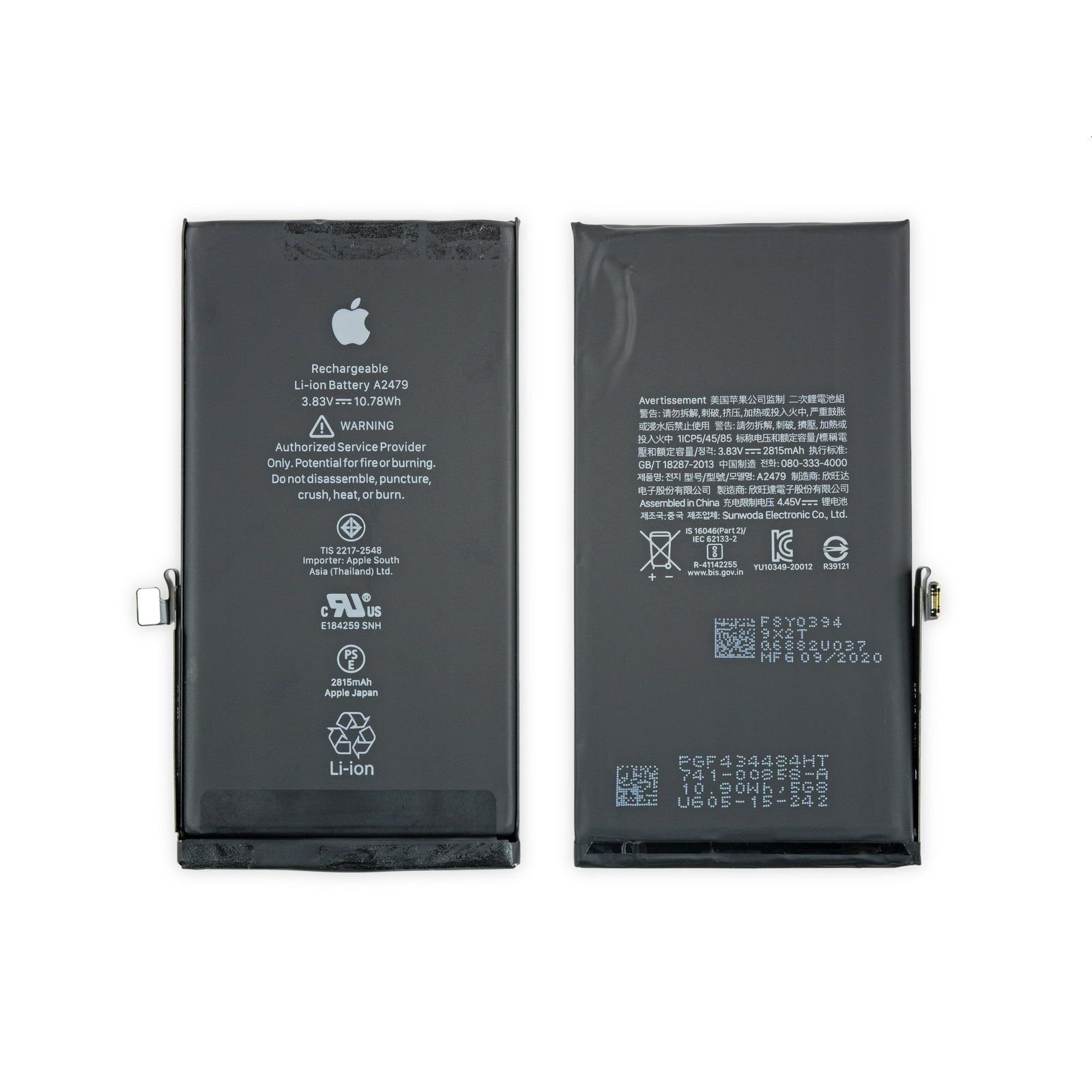
Original Apple iPhone 17 Pro battery replacement
High-capacity lithium-ion battery
Ensures longer usage and performance
Compatible with iPhone 17 Pro only
Supports fast charging
Maintains device safety standards
Professional installation recommended
Restores battery health and reliability
KSh 5,000.00
CompareThe Apple Iphone 17 Pro Battery Replacement is one of the most critical components of the iPhone 17 Pro, influencing not only the usability but also the overall performance of the device. As technology advances, users rely heavily on their smartphones for numerous functions including communication, navigation, and entertainment. Thus, maintaining a healthy battery is crucial to ensure an optimal user experience.
One of the most evident signs that a battery replacement is necessary is decreased battery life. Users may notice that their iPhone 17 Pro does not hold a charge as efficiently as it once did, requiring more frequent charging throughout the day. This decreased longevity of the battery can significantly hinder day-to-day usage and lead to frustration. Unexpected shutdowns, particularly during critical tasks or when the battery percentage reads sufficient, further indicate that the battery is not functioning properly. These sudden shutdowns can cause not only inconvenience but also the potential loss of unsaved work or important data.
Moreover, performance issues can arise from a failing battery. Apple devices, including the iPhone 17 Pro, are designed to prevent excessive load on a compromised battery. As a result, users may find that their phone operates sluggishly or apps crash unexpectedly, leading to an overall degraded experience. The performance throttling mechanisms designed to protect the battery can ironically compromise the device’s speed and efficiency.
Ultimately, promptly addressing battery issues through replacement is vital for preserving the iPhone 17 Pro’s functionality. Regular checks and being attentive to these signs can help users ensure their devices operate smoothly, enhancing both reliability and satisfaction. A healthy battery not only maintains device performance but also contributes to a seamless user experience, reinforcing the importance of timely battery replacement.
Determining the right time to replace your Apple Iphone 17 Pro Battery Replacement is crucial for maintaining optimal performance. Several factors influence the decision, including battery health metrics, warranty status, and daily usage patterns. To assess battery health, navigate to the Settings app, select Battery, then Battery Health. Here, you can find important information regarding your battery’s Maximum Capacity and whether it is operating normally or needs service. A significant drop in capacity—generally below 80%—indicates it may be time for a replacement.
Another important consideration is your warranty status. If your device is still under warranty and the battery shows signs of abnormal performance, you may be eligible for a free battery replacement through Apple. It’s advisable to check Apple’s warranty coverage online or through the Apple Support app to ensure your device qualifies. If the warranty has expired, the alternatives include authorized service providers or self-replacement options.
When it comes to replacement options, users can choose to have their battery replaced directly through Apple or opt for third-party services. Taking your iPhone 17 Pro to an Apple Store is often the safest choice, guaranteeing genuine parts and professional installation. However, this may take more time and may carry a higher cost. On the other hand, third-party services may offer quicker and more affordable solutions, but the quality of parts and workmanship can vary significantly. It is crucial to ensure that any third-party service utilizes quality parts to avoid potential damage to your device.
Ultimately, the decision to replace your iPhone 17 Pro battery should be informed by a careful assessment of your battery’s health and warranty implications, alongside a consideration of the options available for replacement.
When considering a battery replacement for the iPhone 17 Pro, it is essential to understand the typical process involved, including the time frame, financial implications, and any potential challenges that may arise.
The procedure generally begins with a diagnostic check to confirm the battery’s condition and assess whether replacement is necessary. This evaluation typically takes around 30 minutes. Following this, the actual replacement process can take anywhere from 1 to 2 hours, depending on the technician’s expertise and the availability of parts. Most authorized service providers will inform customers if they need to wait or if the device can be picked up later.
Cost is another significant factor when contemplating a battery replacement. Official Apple service providers usually charge a fixed fee for the service, which typically ranges between $69 to $99 depending on the model and the region. On the other hand, third-party repair shops may offer lower prices; however, this comes with risks regarding the quality of the parts used and the warranty on the service.
Customers often express concerns about data loss during battery replacement. It is important to note that while replacing the battery should not affect the device’s data, unforeseen issues such as hardware damage can occur. Therefore, backing up important data to iCloud or through iTunes prior to the procedure is highly advisable.
To facilitate a smooth experience, users are encouraged to prepare their devices ahead of time. This includes ensuring that the iPhone 17 Pro is fully charged, updating the device to the latest iOS version, and removing any protective cases that may impede access to the battery. By following these steps, users can minimize delays and ensure a more efficient battery replacement process.
After undergoing an Apple Iphone 17 Pro Battery Replacement, it is crucial to adopt effective practices for maintaining optimal battery health. This will not only extend the lifespan of the new battery but also enhance the overall performance of your device. One essential tip is to optimize your charging habits. Aim to keep your battery charge between 20% and 80% whenever possible. Charging your phone to 100% or allowing it to drain completely can introduce stress on the battery, which may lead to accelerated wear over time.
Additionally, consider utilizing the ‘Optimized Battery Charging’ feature available on iPhones. This intelligent setting learns your daily charging routine and will delay charging past 80% until you need it, thus reducing the time your battery is at full charge. It is also important to avoid using non-certified chargers that may not regulate voltage properly, as this can negatively impact battery efficiency.
Your app usage significantly affects battery life, too. High-performance apps and games tend to consume more power. Regularly monitoring which applications are using the most battery can help you make informed decisions about their usage or uninstall unnecessary applications that drain power in the background. Taking advantage of built-in tools such as Battery Usage in Settings allows you to identify these culprits.
Adjusting your device settings can further enhance battery longevity. Reducing screen brightness and enabling ‘Low Power Mode’ can yield impressive results. Furthermore, managing background app refresh and disabling unnecessary notifications can minimize battery drain without compromising your device’s functionality. These small adjustments can significantly contribute to prolonging your iPhone 17 Pro’s battery life, ensuring your phone remains efficient even after a replacement.




There are no reviews yet.