

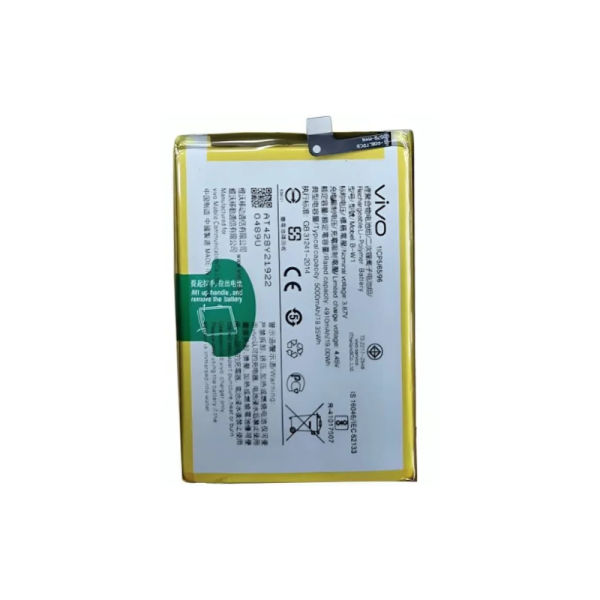
Vivo Y28 Battery Replacement
Availability:In Stock!
-
Compatible with Vivo Y28
-
High-quality replacement battery
-
Long-lasting performance
-
Restores phone backup time
-
Safe and reliable usage
-
Perfect fit and easy installation
KSh 1,800.00
CompareVivo Y28 Battery Replacement Description
The Vivo Y28 is equipped with a reliable lithium-ion battery, which is known for its efficiency and longevity. This battery has a capacity of approximately 2200 mAh, providing a satisfactory performance for daily use. Users can expect the Vivo Y28 battery to support standard tasks such as calling, messaging, and browsing without requiring frequent recharging. Additionally, the battery is designed to sustain power for numerous applications, ensuring that users can enjoy their devices throughout the day.
Battery performance in any smartphone is crucial, and the Vivo Y28 is no exception. The operational lifespan of the Vivo Y28 battery can vary based on factors such as usage patterns, environmental conditions, and maintenance practices. Typically, users can anticipate a decrease in battery longevity as the device ages, leading to less efficient performance over time. This degradation may manifest through diminished standby time and a reduction in the overall usability of the phone, prompting users to consider battery replacement.
Common issues associated with battery degradation in the Vivo Y28 include unexpected shutdowns, inability to hold a charge, and slow charging speeds. Recognizing these symptoms is crucial for users in determining when to replace their batteries. If the device frequently requires charging throughout the day or fails to power up despite being plugged in, these are significant indicators that the battery may be nearing the end of its lifespan. To prolong battery life, users are encouraged to follow best practices, such as avoiding extreme temperatures, using original charging accessories, and moderating screen brightness.
Understanding these aspects of the Vivo Y28 battery not only prepares users for potential replacement needs but also highlights the importance of maintaining battery health throughout the device’s lifespan. Awareness will ultimately lead to informed decisions regarding battery care and replacement processes.
Signs Your Vivo Y28 Needs a New Battery
Identifying when your Vivo Y28 requires a battery replacement is crucial for maintaining optimal device performance. Several distinct symptoms can signal that the battery is no longer functioning effectively.
One of the most common indicators is rapid battery drainage. If you notice that your device discharges significantly faster than before, even with minimal usage, it is likely an indication that the battery’s capacity has diminished. For instance, a battery that once lasted a full day may only last a few hours, necessitating immediate attention.
Failure to hold a charge is another telltale sign. This situation arises when the Vivo Y28 shows a full charge percentage but depletes unexpectedly within a short timeframe. Users might experience an annoyance when their device powers off despite appearing fully charged. Such inconsistent charging behavior typically suggests that the battery has reached the end of its lifecycle.
Overheating during charging or regular usage can also be a warning sign. If your Vivo Y28 feels excessively hot to the touch, it may indicate that the battery is malfunctioning. A consistently high temperature can not only affect the battery but also damage internal components of the phone. It is advisable to seek a replacement before permanent damage occurs.
Another significant symptom to note is physical swelling of the battery. If you observe that the device casing has warped or the battery itself has expanded, this poses a serious risk and requires immediate replacement to prevent further damage or potential hazards.
Lastly, performance lags can suggest battery issues. If your Vivo Y28 experiences frequent application crashes or lagging while navigating, it may be due to insufficient power reserve that cannot keep up with system demands. Recognizing these signs early can help users ensure that their device runs smoothly and remains reliable.
How to Replace the Vivo Y28 Battery: Step-by-Step Guide
Replacing the battery in your Vivo Y28 smartphone is a straightforward process that can extend the device’s lifecycle significantly. Before beginning, gather the necessary tools: a small Phillips screwdriver, a plastic prying tool, and a suction cup. These items will aid in the safe disassembly of the device without causing damage.
To initiate the battery replacement, first ensure the Vivo Y28 is powered off to prevent any electrical issues. Next, remove the back cover gently using the plastic prying tool. Start at one corner and slowly work your way around the perimeter. Take care to avoid applying excessive pressure, as this may crack the casing.
Once the back cover is removed, locate the battery. The battery is often secured by screws or adhesive. If screws are present, use the Phillips screwdriver to remove them carefully. If adhesive is involved, use the suction cup to lift the battery slightly, applying heat with a hairdryer if necessary to soften the glue. Ensure that you do this in a well-ventilated area to avoid inhaling fumes.
After loosening the battery, gently lift it out of the compartment, being mindful of any connected cables. Disconnect the battery carefully by pulling the connector straight out. It is advisable to reference the user manual or online repair guides specific to the Vivo Y28 for images and additional assistance during this step.
To install the new battery, align it correctly in the compartment and reattach any connectors. Finally, secure the battery with screws or adhesive, reattach the back cover, and power on your device. For those hesitant to undertake this task, consider consulting with a professional service for assistance, ensuring a proper battery replacement without the risk of damage.
Maintaining Your New Vivo Y28 Battery
After replacing the battery in your Vivo Y28, ensuring its longevity and optimal performance requires careful attention to maintenance. One primary aspect is the charging habits you adopt. It is advisable to charge your device only when the battery level drops below 20%. Frequent full discharges can reduce battery lifespan. Conversely, using your phone while charging can also generate additional heat, potentially leading to degradation of the battery’s performance over time.
Optimizing battery settings is equally crucial. The Vivo Y28 comes with several built-in features that can be tailored to enhance battery life. Functions such as battery saver mode, power management settings, and app-specific permissions can help minimize background activity and reduce power consumption. Regularly reviewing and managing the applications that continuously run in the background can further extend your battery’s health and ensure your device performs at its best.
General care tips also play a vital role in maintaining the battery’s health. For instance, avoiding exposure to extreme temperatures is essential; heat and cold can negatively affect battery performance and durability. Keeping the device in a protective case can shield it from environmental factors. Additionally, it is essential to keep the charging port clean, as dirt and debris can hinder proper charging and affect battery performance.
Several factors can negatively impact the health of your new Vivo Y28 battery. Constantly using high-brightness levels, enabling unnecessary connectivity options like Bluetooth, Wi-Fi, or GPS when not in use, can drain your battery faster than necessary. By being mindful of these practices, you can help ensure that your Vivo Y28 battery remains in good condition for a prolonged period, maximizing your device’s overall performance.
Based on 0 reviews
Be the first to review “Vivo Y28 Battery Replacement”
Related products
-
Other Products
GoPro Travel Kit
GoPro AKTTR-001 Travel Kit Features:
- Versatile: Suitable for various GoPro cameras.
- Compact: Fits easily in your bag.
- Protective: Keeps your camera and accessories safe.
- Includes: Essential accessories like a camera case, lens protector, and cleaning cloth.
- Durable: Made from high-quality materials.
SKU: n/a -
Other Products, Mobile Phones
Tecno Camon 30s
- Dual Sim, 3G, 4G, 5G, VoLTE, Wi-Fi, NFC, IR Blaster
- Dimensity 8200 Ultimate, Octa Core, 3.1 GHz Processor
- 6 GB RAM, 128 GB inbuilt
- 5000 mAh Battery with 70W Fast Charging
- 6.78 inches Display with Punch Hole
- 50 MP + 50 MP + 2 MP Triple Rear & 50 MP Front Camera
- Android v14
- Bluetooth
SKU: n/a


There are no reviews yet.