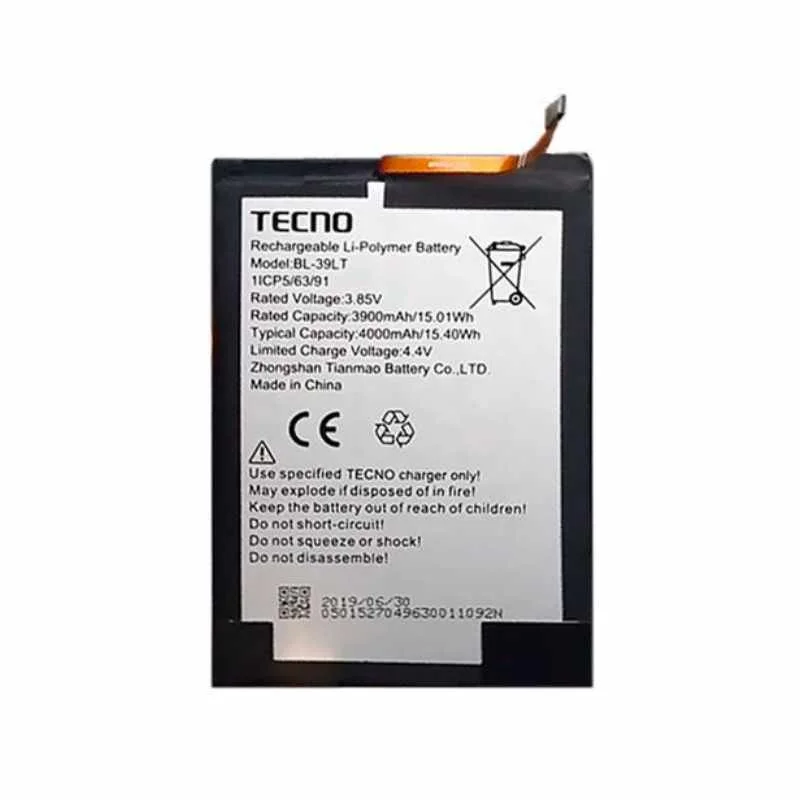
Tecno Spark 30S (CLA5) Battery Replacement Description
The Tecno Spark 30s is a feature-rich smartphone that stands out in the budget-friendly segment of the mobile phone market. With its sleek design and vibrant color options, the Spark 30s is not only aesthetically pleasing but also offers a user-friendly experience. One of the key highlights of this device is its impressive 6.6-inch HD+ display, which provides a clear and immersive viewing experience for movies, games, and browsing. This screen size allows for easy navigation and engaging multimedia consumption, further enhancing the overall appeal of the smartphone.
Under the hood, the Tecno Spark 30s is powered by an efficient processor that delivers smooth performance across multiple applications. Coupled with its generous RAM options, users can expect a lag-free experience whether they are multitasking or gaming. Additionally, the smartphone includes a substantial internal storage capacity, allowing users to store everything from apps to media files without worrying about running out of space.
Another notable aspect of the Tecno Spark 30s is its camera capabilities. Equipped with a robust rear camera setup and a high-resolution front camera, the device caters to photography enthusiasts. Users can capture stunning photos, vibrant selfies, and even engage in video calls with remarkable clarity. This versatility makes it an ideal choice for individuals who value both photography and social connectivity.
While all these features make the Tecno Spark 30s a desirable choice, the significance of a reliable battery cannot be overstated. A smartphone’s battery plays a crucial role in ensuring optimal performance, longevity, and user satisfaction. A dependable battery will not only provide extended usage time but will also enhance the overall experience, making it essential to understand the implications of battery replacement. Effective management of the device’s battery health ensures that users can fully enjoy the many features the Tecno Spark 30s has to offer.
Signs That Your Tecno Spark 30s Battery Needs Replacement
The longevity of the battery in your Tecno Spark 30s is crucial for maintaining its optimal performance. However, several indicators may suggest that your device’s battery is nearing the end of its life and requires replacement. Recognizing these signs early is essential to preventing more extensive damage to your smartphone.
One of the most common symptoms of a failing battery is rapid battery drain. If you notice that your Tecno Spark 30s discharges significantly faster than it used to, even with minimal usage, it may indicate a degraded battery. This issue can manifest as the phone slipping from a fully charged state to low power within a few hours, which significantly impacts the overall user experience.
Another critical sign is overheating. A battery that becomes excessively hot during charging or normal operation can signal a problem. Overheating doesn’t only cause discomfort; it poses a risk of damaging internal components of your Tecno Spark 30s. Consequently, it’s advisable to take note if your device feels warmer than usual, especially during routine tasks.
Unexpected shutdowns are also strong indicators that your battery may be failing. If your Tecno Spark 30s turns off suddenly without warning, even when the battery indicator displays a sufficient charge, it is likely time to investigate a potential battery replacement. Additionally, an inability to hold a charge is another red flag. If your device struggles to maintain a charge, often requiring frequent recharges, it emphasizes the urgency of addressing battery health.
In summary, recognizing these signs—rapid battery drain, overheating, unexpected shutdowns, and poor charge retention—can be crucial for the maintenance of your Tecno Spark 30s. Addressing these symptoms promptly not only preserves your device but also enhances its longevity. Always prioritize battery health to ensure smooth operation, avoiding potential pitfalls associated with battery failure.
How to Replace the Battery in Your Tecno Spark 30s
Replacing the battery in your Tecno Spark 30s (CLA5) can seem daunting, but with the right tools and a clear step-by-step process, it can become an achievable task. Before starting, ensure you have the necessary tools at hand: a small Phillips screwdriver, a plastic pry tool, and a suction cup. Additionally, it is advisable to have a new, compatible Tecno Spark 30s battery ready for installation.
First, power off your device completely. This step is crucial to avoid any electrical issues or short circuits during the replacement process. Next, gently use a suction cup to lift the back cover of the phone. Once the cover is loosened, employ the plastic pry tool to separate the back cover from the device’s frame cautiously, ensuring not to damage any clips or connectors.
After removing the back cover, you’ll see the battery secured in place. Identify and remove the screws that hold the battery connector; these are typically very small and need to be handled carefully. Once the screws are out, detach the battery connector from the motherboard using the plastic pry tool to avoid applying too much pressure on sensitive components.
To remove the old battery, gently lift it from the device. If it feels stuck, a little bit of warmth can help loosen the adhesive, but be careful not to apply excessive heat. Once the old battery is out, it’s time to install the new Tecno Spark 30s battery. Align the battery connector with the motherboard and press it into place securely, then reattach any screws you previously removed.
Finally, place the back cover back onto the device, ensuring it clicks into place firmly. Power on your phone to test the new battery. If it powers on and functions correctly, you have successfully replaced the battery in your Tecno Spark 30s. This process not only can enhance your device’s performance but also extends its overall lifespan.
Maintaining Your Tecno Spark 30s Battery for Longevity
The longevity of your Tecno Spark 30s battery significantly impacts the overall user experience. Adopting proper maintenance habits is essential to ensure optimal performance over time. One of the primary practices to extend battery life involves following optimal charging habits. It is advisable to avoid letting the battery deplete to a critical level frequently. Instead, aim to recharge your device when it reaches about 20% to 30% capacity. This approach helps to reduce strain on the battery, thereby enhancing its lifespan.
Moreover, avoiding extreme temperatures is vital for maintaining the integrity of your Tecno Spark 30s battery. Exposure to heat or cold can adversely affect battery performance. Therefore, it is recommended to keep the device in a temperature-controlled environment and refrain from leaving it in direct sunlight or cold areas for extended periods. Such practices not only protect the battery but also ensure efficient functionality of the device.
Another beneficial maintenance tip involves monitoring app usage to minimize background activity. Many applications tend to run in the background, consuming battery life without the user’s knowledge. By regularly checking app settings and usage statistics, you can identify energy-draining applications and limit their background access or uninstall those that are not essential. Utilizing features such as battery saver mode can also help in managing power consumption effectively.
Additionally, consider disabling unnecessary features such as Bluetooth and GPS when not in use. This can further contribute to extending the overall battery life of your Tecno Spark 30s. By incorporating these practices into your daily routine, you can maximize the performance and longevity of your device’s battery, ensuring it remains functional throughout its intended lifespan.

 Google Pixel Buds Pro
1 × KSh 22,500.00
Google Pixel Buds Pro
1 × KSh 22,500.00  Google Pixel 7a
1 × KSh 42,500.00
Google Pixel 7a
1 × KSh 42,500.00  Sony WH-1000XM5
1 × KSh 34,000.00
Sony WH-1000XM5
1 × KSh 34,000.00  OnePlus 13R 12GB/256GB
1 × KSh 60,000.00
OnePlus 13R 12GB/256GB
1 × KSh 60,000.00  Samsung Galaxy Tab A9
1 × KSh 13,500.00
Samsung Galaxy Tab A9
1 × KSh 13,500.00 


There are no reviews yet.