


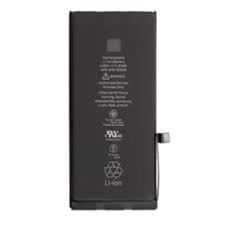
Samsung Galaxy M36 Battery Replacement
Availability:In Stock!
KSh 3,000.00
CompareSamsung Galaxy M36 Battery Replacement Description.
Proper battery maintenance is vital for the longevity and functionality of the Samsung Galaxy M36. Batteries, particularly those in smartphones, have a finite lifespan that can be influenced by various factors, including usage patterns, environmental conditions, and charging habits. The lithium-ion batteries commonly used in modern smartphones, including the Galaxy M36, typically last between two to three years or approximately 500 complete charge cycles before their performance starts to degrade significantly.
Users should be aware of common signs of battery degradation. These signs may include rapid battery drainage, slower charging times, overheating during charging or extended use, and unexpected shutdowns even when the battery indicator displays a charge. Recognizing these symptoms early can prevent further complications and ensure smooth operation. Neglecting battery health can adversely affect phone performance; for instance, it may result in lag, app crashes, or reduced functionality of features, ultimately hampering user experience.
To extend the lifespan of the Samsung Galaxy M36 battery, implementing best practices is essential. One effective strategy is to establish healthy charging habits; for example, avoiding letting the battery drain completely before charging and not consistently charging to 100%. Instead, aim to keep the battery level between 20% and 80% for optimal health. Additionally, managing app usage plays a critical role in conserving battery life. This can be achieved by limiting background activity for apps, disabling unnecessary notifications, and uninstalling apps that are seldom used. Regularly checking for software updates can also enhance battery efficiency, as manufacturers often release optimizations that improve power management. Through these practices, users can maintain their device’s battery health and overall performance effectively.
Step-by-Step Guide to Replacing Your Samsung Galaxy M36 Battery
Replacing the battery in your Samsung Galaxy M36 is a task that can be accomplished with the right tools and a careful approach. Before you begin, ensure you have the necessary materials on hand. You will require a suitable replacement battery, a small Phillips screwdriver, a plastic opening tool, and tweezers. Additionally, it is advisable to have a suction cup or an adhesive remover to assist in safely separating the screen from the device.
Prior to commencing the battery replacement, make sure the phone is powered off to avoid any electrical issues. Remove any SIM cards or memory cards present in the device. It is also prudent to wear an anti-static wrist strap to prevent damage caused by static electricity.
Begin by using a heat source to gently warm the edges of the phone, as this helps in loosening the adhesive securing the back cover. Carefully apply the suction cup to the back cover and use the plastic opening tool to gently pry it open. Take your time, as applying excessive force could damage the phone.
Once the back cover is removed, locate the battery. You will typically find it held in place by screws; remove these screws with your Phillips screwdriver. After the screws are removed, use your plastic opening tool to gently lift the battery out of its compartment. Be cautious to avoid touching any other internal components.
Insert the new battery, ensuring it fits snugly and securely. Reattach any screws, then carefully place the back cover back onto the device, reapplying gentle pressure along the edges to secure it back into place. Once you have confirmed everything is reassembled properly, power on your Samsung Galaxy M36. If the device does not turn on, double-check the connections and battery placement.
By following these detailed instructions, you will successfully replace the battery of your Samsung Galaxy M36, thereby extending the life of your device.
Choosing the Right Replacement Battery for Your Galaxy M36
When seeking a replacement battery for your Samsung Galaxy M36, selecting a high-quality product is crucial to ensure compatibility and optimal performance. The first consideration is the brand reliability. It is advisable to choose batteries from well-established brands that specialize in mobile phone accessories, as these manufacturers tend to adhere to safety standards and quality assurance practices. Opting for reputable companies can significantly reduce the risk of purchasing substandard replacement products.
Next, pay close attention to the battery specifications. The ideal replacement battery should match the specifications of the original battery, such as voltage, capacity, and physical dimensions. Typically, the Galaxy M36 is equipped with a particular battery capacity, often measured in milliampere-hours (mAh), which influences how long the device can operate on a single charge. Selecting a battery that meets or exceeds these specifications can enhance the overall performance of your device without compromising safety.
Warranty options are another critical factor to consider while purchasing a replacement battery. A product with a manufacturer’s warranty can provide peace of mind and security against defects or malfunctions. A robust warranty demonstrates the manufacturer’s confidence in the product and can cover potential issues that may arise post-purchase.
For purchasing options, there are several reputable retailers to consider—both online and in physical stores. E-commerce platforms such as Amazon, eBay, and specialized electronic retailers frequently offer a variety of replacement batteries suitable for the Galaxy M36. For those preferring in-person shopping, local electronics stores, mobile repair shops, and authorized Samsung service centers are also reliable sources to find quality replacement batteries.
Common Issues and Solutions After Battery Replacement
Replacing the battery of a Samsung Galaxy M36 can rejuvenate its performance; however, users may encounter various complications after the replacement. Understanding these common issues and knowing how to troubleshoot them is essential for maintaining optimal device functionality.
One prevalent issue is the phone not charging properly post-replacement. This may be due to improper battery installation or a faulty charging port. Users should first ensure that the charging cable and adapter are functioning correctly by testing them with another device. If the issue persists, it is advisable to carefully open the device and check the battery connections to ensure they are secure and aligned correctly.
Another common problem is rapid battery drain. If the newly replaced battery depletes quickly, it could indicate an incompatibility issue or that the phone is experiencing software problems. Users should analyze their app usage and close any unnecessary applications running in the background. Additionally, resetting the device settings can sometimes resolve these issues as it returns the device to its original configurations. Keeping the phone’s software up to date is also crucial to ensure it operates efficiently with the new battery.
Users may also experience functionality disruptions following the battery replacement, such as screen flickering or glitches. Such issues can stem from weak connections between the battery and the internal components. In this case, it is recommended to inspect the internal circuitry for any potential damage. If these problems remain unresolved, seeking guidance from a professional technician is recommended. They can identify and address any underlying issues that may not be apparent during a simple inspection.
Overall, addressing these common issues with appropriate troubleshooting can enhance the performance of a Samsung Galaxy M36 following battery replacement. Regular maintenance and awareness of device health are essential for prolonging battery life and ensuring a seamless user experience.


There are no reviews yet.