

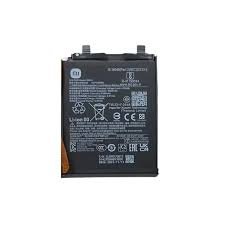
Redmi 15c Battery Replcement in Kenya
The Redmi 15C is a noteworthy addition to Xiaomi’s lineup, combining advanced features with competitive pricing. Equipped with a robust processor and ample memory options, it offers a seamless user experience, whether for gaming, productivity, or everyday tasks. Additionally, the device boasts a vivid display, an enhanced camera system, and a user-friendly interface, making it an appealing choice for a wide range of consumers.
One of the most vital aspects of any smartphone is its battery life. The Redmi 15C is designed with a substantial battery capacity that enables extended usage durations, thereby enhancing its overall usability. Users often seek devices that can last through a full day of intensive activities without the need for frequent recharging. However, as with any electronic device, battery performance may degrade over time due to various factors such as usage patterns, temperature conditions, and charging habits. It is essential for Redmi 15C users to monitor their battery performance, as signs of reduced capacity may indicate the need for a battery replacement.
Regular maintenance and proper charging techniques can prolong the health of the battery, but eventually, users might experience diminished battery life, making it difficult to maintain productivity throughout the day. Understanding when to consider a battery replacement could significantly impact the longevity and efficiency of the device. Users experiencing rapid battery drainage, unexpected shutdowns, or longer charging times should take these symptoms as indicators that it may be time to replace the battery. Making an informed decision about battery replacement can greatly enhance the overall performance of the Redmi 15C, ensuring that it continues to meet the demands of its users effectively.
Signs That Your Redmi 15C Battery Needs Replacement
The performance of your Redmi 15C can be significantly impacted by its battery’s health. Recognizing the signs of a failing battery is crucial to ensure that your device continues to function efficiently. One of the most prominent indicators of battery deterioration is rapid battery drain. If you notice that your smartphone discharges more quickly than it used to, even with minimal usage, this may suggest that the battery is nearing the end of its life cycle.
Another common symptom is overheating. A battery that is malfunctioning often generates excessive heat during charging or normal use. This can not only make the device uncomfortable to hold but may also pose safety risks if left unresolved. If your Redmi 15C feels unusually warm, it is advisable to monitor its battery health closely.
Unexpected shutdowns are also a telltale sign that your battery may need replacement. If your device powers off suddenly, even when the battery indicator shows a remaining charge, this inconsistency can be attributed to battery failure. Such unexpected behaviors often stem from internal defects that prevent the battery from holding charge properly.
Additionally, physical deformities in the battery can indicate serious issues. Examine the device for any noticeable swelling or bulging on the back cover that might suggest that the battery is expanding. This is a direct result of gases building up inside the battery, which can lead to leaks or even explosions in severe cases.
Being aware of these signs—rapid battery drain, overheating, unexpected shutdowns, and physical deformities—can help you act promptly by seeking a replacement for your Redmi 15C battery, thus ensuring the longevity and efficiency of your device.
Understanding the Battery Specifications of Redmi 15C
The Redmi 15C is equipped with a lithium-ion (Li-ion) battery, a widely recognized standard in modern smartphones due to its efficient power management and longevity. This type of battery is favored for its high energy density and low self-discharge rate, ensuring that the device remains operational for extended periods without the need for frequent recharging. Specifically, the battery capacity of the Redmi 15C is 5000 mAh, a substantial figure that supports a full day of usage under typical conditions.
In terms of performance, the 5000 mAh capacity allows the Redmi 15C to handle various tasks, including gaming, streaming, and browsing, without compromising on battery life. This is particularly important in today’s fast-paced technological landscape, where users expect their devices to keep up with their demanding workloads. The extensive capacity is complemented by the phone’s energy-efficient hardware and software integration, which optimizes battery consumption during everyday operations.
Another noteworthy feature of the Redmi 15C’s battery is its fast charging capability. This model supports fast charging, which allows users to recharge the device quickly when needed, ensuring minimal downtime. Fast charging technology significantly enhances user convenience, particularly for those who rely heavily on their phones throughout the day. Moreover, safety features are intrinsic to the battery design, incorporating mechanisms to prevent overheating and overcharging, thereby enhancing the overall durability and safety of the device.
Understanding the battery specifications is crucial not only for users opting to replace their batteries but also for those who wish to optimize their device’s performance during its lifespan. With the Redmi 15C battery specifications in mind, users can make informed decisions when considering battery maintenance or replacement options.
Choosing the Right Replacement Battery
When it comes to replacing the battery of your Redmi 15C, making an informed choice is crucial for maintaining the device’s performance and safety. One of the primary considerations is compatibility. Ensure that the replacement battery is specifically designed for the Redmi 15C model to prevent any issues related to fit and functionality. Batteries that are not compatible may lead to overheating, malfunctions, or even permanent damage to your device.
Quality should also be a key factor in your decision-making process. It is advisable to opt for batteries from reputable manufacturers. Original batteries often guarantee superior quality and performance, as they are specifically engineered for your device. However, third-party batteries can be a viable alternative, provided they meet certain quality standards. When considering third-party options, look for products backed by positive reviews and a warranty that reflects manufacturer confidence in their battery.
One should also pay attention to the certifications of the replacement battery. Certifications such as CE, RoHS, and FCC indicate the battery adheres to safety standards and environmental regulations. These certifications assure consumers that the product has passed rigorous quality checks and is less likely to pose safety hazards. Moreover, it is essential to verify that the battery’s specifications, like voltage and capacity, match those of the original battery. Discrepancies can impact the overall efficiency of the Redmi 15C and may lead to battery malfunctions.
In conclusion, selecting the right replacement battery involves careful consideration of compatibility, quality, and certifications. By prioritizing these factors, users can ensure they make a reliable choice that will prolong the performance and lifespan of their Redmi 15C smartphone.
DIY Battery Replacement: Tools and Precautions
Replacing the battery of your Redmi 15C can seem daunting, but with the right tools and precautions, it becomes a manageable task. First, let’s explore the essential tools you will need. A precision screwdriver set is necessary for loosening and removing screws that hold the device together. You will also require a plastic prying tool to gently lift the screen and other components without causing damage. Additionally, having a pair of tweezers will assist in handling small parts more effectively.
Another important tool is a suction cup, which can help in lifting the display off the phone without excess force, reducing the risk of cracking the screen. Furthermore, a heat gun or a hairdryer can be utilized to soften any adhesive that may be securing the battery, allowing for easier removal. It is advisable to work on a clean, flat surface to avoid misplacing tiny components.
Before starting the battery replacement process, it is critical to take necessary safety precautions. Ensure the device is turned off to prevent any short circuiting. It is also prudent to wear safety glasses to protect your eyes from any small debris or glass shards. Additionally, consider using an anti-static wrist strap to prevent electrostatic discharge, which can harm sensitive electronic components within the device.
Always handle the battery with care. Do not puncture or apply excessive pressure on the battery, as this may cause it to rupture and potentially lead to hazardous situations. If you notice any swelling or visible damage to the battery, it is advisable to dispose of it properly instead of attempting to reuse it. By adhering to these guidelines and utilizing the proper tools, you can confidently proceed with the DIY replacement of your Redmi 15C battery.
Step-by-Step Guide to Replacing the Battery of Redmi 15C
Replacing the battery of your Redmi 15C can be a straightforward process if you follow these step-by-step instructions. Before you begin, ensure you have the necessary tools handy, including a suction cup, a plastic opening tool, and a new battery compatible with the Redmi 15C.
Start by powering down your device completely. It is essential to turn off the phone to avoid any electrical hazards. Once the phone is off, use the suction cup to gently lift the screen from the body of the device. This can be done by placing the suction cup near the bottom edge of the screen and pulling upwards while inserting the plastic opening tool to help separate the screen from the frame.
As the screen separates, exercise caution to avoid damaging any connected flex cables. After lifting the screen, you will see a series of screws securing the internal components. Use a small screwdriver to carefully remove these screws and keep them organized for reassembly.
With the screws removed, gently lift the screen further to reveal the battery connector. Disconnect the battery by carefully prying the connector from its slot using the plastic opening tool. Once disconnected, you can remove the old battery by carefully prying it out from the adhesive securing it to the device. Ensure that you do not apply excessive force, as this may damage other internal components.
Now, take your new battery and insert it into the battery compartment. Reconnect the battery connector by pressing it firmly back into place. After securing the new battery, revisit the screen. Align it carefully with the body of the phone and gently press it down, ensuring a snug fit. Finally, reinsert all screws previously removed and power your device back on. Your Redmi 15C should now be equipped with a fresh battery!
After the Replacement: Testing and Calibration
Once you have successfully replaced the battery of your Redmi 15C, it is essential to conduct a thorough testing process to ensure that the new battery is functioning optimally. Begin by powering on the device and checking if it boots up correctly. If the device fails to power on, confirm that the battery is connected properly. If connectivity is assured, consider that there might be an issue with the battery itself or other internal components.
Next, examine the display and user interface responsiveness. Navigate through various applications and features to verify how well the new battery supports the device’s performance. Check for any signs of overheating or irregular behavior during this process. An abnormal rise in temperature may suggest that the battery is not holding charge efficiently or could potentially be damaged.
Once the initial testing is complete, it is prudent to calibrate the new battery to ensure that it operates at peak performance levels. Battery calibration can help in aligning the battery’s capacity readings with the device’s software. To do this, fully charge the Redmi 15C battery to 100%, then allow it to discharge completely until the device shuts down unattended. After a few minutes, connect it back to the charger and let it charge uninterrupted until it reaches 100% again. This cycle aids in recalibrating the battery’s internal monitoring system, improving its longevity and performance.
It is advisable to repeat this calibration process occasionally, particularly after significant software updates or if you experience fluctuating battery life. Monitoring performance after replacement helps ensure your Redmi 15C remains efficient and functional. By adhering to these testing and calibration techniques, users can enjoy the full benefits of their newly replaced battery, enhancing the overall experience of their device.
Common Mistakes to Avoid During Battery Replacement
Replacing the battery of your Redmi 15C, while manageable, can present several challenges for those opting for a do-it-yourself approach. It is imperative to recognize common mistakes that can lead to complications, inefficiencies, or even damage to the device.
One prevalent error occurs when users fail to gather the necessary tools before beginning the replacement process. Basic tools such as screwdrivers, prying tools, and anti-static wrist straps are essential. Omitting these can lead to utilizing inappropriate tools, resulting in damage to the device or prolonged replacement time. Always verify that you have the correct tools at your disposal prior to starting the battery replacement procedure.
Another frequent mistake involves neglecting to consult the manufacturer’s instructions carefully before proceeding. Skimming the guidelines or disregarding them altogether can lead to missteps during the battery replacement process. Each device may have unique instructions, and adherence to these steps is crucial to ensure the safe and effective installation of your new battery. Furthermore, failing to follow proper disassembly and reassembly procedures can create issues, such as not sealing the device correctly, which may lead to dust or moisture infiltration.
Additionally, overlooking safety precautions poses a significant risk. Always ensure the device is powered off before beginning any work to avoid short circuits or electrical shock. It is also advisable to handle the battery and its components gently to prevent accidental punctures or damage. Lastly, some DIYers may feel tempted to rush the process; however, haste can result in critical errors that are easily avoidable when approached with care.
By being mindful of these common pitfalls and taking the time to ensure that you understand every aspect of the battery replacement process, you can enhance your chances of a successful installation while protecting your Redmi 15C from damage.
When to Seek Professional Help
As smartphone technology advances, battery replacement has become a common DIY task for many users. However, there are specific scenarios when seeking professional help is advisable rather than attempting a replacement independently. The decision to consult an expert can often save time and prevent potential damage to the device.
One of the primary considerations is the user’s level of experience with electronics. If an individual lacks hands-on experience in handling mobile device repairs, the intricacies involved in replacing the battery of the Redmi 15C might prove challenging. This device requires careful disassembly, and without an understanding of the assembly structure, there’s a significant risk of damaging delicate components or misplacing screws during the process.
Additionally, professional tools are often requisite for properly extracting and inserting the battery. While many people have basic tools at their disposal, specialized equipment—such as suction cups, tweezers, and anti-static wrist straps—are crucial for minimizing the risk of electrostatic discharge that can harm internal circuits. Professionals typically have access to high-quality tools that ensure accuracy and safety during the battery replacement procedure.
Another factor to consider is the warranty of the device. Attempting a DIY battery replacement may void the warranty provided by the manufacturer. It is essential to review warranty terms before proceeding with any repairs. If the warranty is still active, it is generally more prudent to seek professional assistance to ensure that the integrity of the warranty is maintained.
In certain situations, including complex battery issues or malfunctions unrelated to the battery itself, contacting a professional technician is advisable. They possess the expertise and training necessary to diagnose and resolve issues comprehensively, ensuring the device operates optimally. Thus, assessing personal ability, tool availability, and warranty status can guide users in determining whether professional intervention is the better option.


There are no reviews yet.