

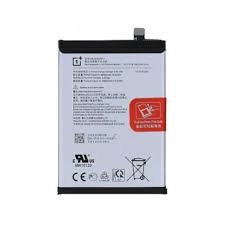
Oneplus 13R Battery replacement
Availability:In Stock!
-
Original OnePlus 13R battery replacement
-
High-capacity lithium-ion battery
-
Compatible with OnePlus 13R model
-
Ensures long-lasting power performance
-
Safe and durable build quality
-
Professional installation recommended
KSh 1,800.00
CompareOneplus 13R Battery replacement in Kenya
The OnePlus 13R is a popular smartphone, known for its robust performance and user-friendly interface. However, like all devices, users may encounter battery-related issues over time. Common problems reported by OnePlus 13R users include decreased battery life, swelling, and malfunctioning, all of which can significantly affect the overall usability of the phone.
Decreased battery life is one of the most pervasive issues faced by users. Many individuals notice that their OnePlus 13R no longer holds a charge as it once did, requiring more frequent charging and leading to frustration during daily use. This gradual deterioration can be attributed to various factors, including software updates, usage patterns, and the natural aging of the lithium-ion battery.
Another critical concern is battery swelling. Users have reported instances where the back cover begins to bulge, indicative of an expanding battery. This should be regarded as a severe issue, as a swollen battery poses risks of device damage or even safety hazards if not addressed immediately. Proper monitoring and timely intervention can mitigate these risks, ensuring the safety of the device and its user.
Additionally, some users experience malfunctioning batteries that may cause unexpected shut downs or struggles to charge properly. These malfunctions can arise from a variety of underlying issues, including hardware or software conflicts. It is essential for users to diagnose these problems swiftly, as delaying repair can lead to more severe complications.
This article will provide a comprehensive guide on addressing these OnePlus 13R battery issues, detailing symptoms, the importance of addressing these concerns, and a step-by-step approach to battery replacement. Properly understanding and resolving these battery issues can prolong the life of the device and enhance user satisfaction.
Signs That Indicate You Need a Battery Replacement
As smartphone technology continues to advance, understanding your device’s needs becomes increasingly vital. For OnePlus 13R users, recognizing the specific signs that indicate a battery replacement is necessary is crucial in maintaining optimal performance. Several symptoms point to the likelihood of a failing battery, prompting users to consider a replacement.
One of the most apparent signs is rapid battery drain. If your device loses power significantly faster than it used to, even with minimal usage, this may indicate that the battery’s health is deteriorating. This effect can lead to frequent charging throughout the day, becoming quite inconvenient for daily use. Ideally, the OnePlus 13R battery should retain its charge efficiently, so an abrupt change suggests you should assess its condition.
Another critical warning sign is device overheating. If your OnePlus 13R feels unusually warm during regular operations, it may suggest an internal malfunction with the battery. Overheating not only affects comfort but can also lead to more severe issues, potentially damaging internal components or even causing a battery failure. Ensuring a cool operating temperature is vital.
Additional concerns include the inability to charge your device effectively. If the OnePlus 13R displays a message indicating it is charging but the percentage does not increase, the battery may be at fault. This issue typically signals that the battery has reached the end of its life cycle.
Lastly, physical deformities of the battery, such as swelling or leakage, are unequivocal signs of failure that necessitate immediate replacement. Alterations in the battery’s shape can cause strain on other components and lead to more significant problems.
Identifying these key indicators can assist users in making informed decisions regarding battery replacement, ensuring their OnePlus 13R operates effectively for an extended period.
Choosing the Right Replacement Battery
When seeking a replacement battery for the OnePlus 13R, it is crucial to ensure compatibility with the device. One of the primary considerations is the battery specifications, including capacity (measured in milliampere-hours or mAh) and voltage (in volts). A battery with similar specifications to the original will typically provide optimal performance and longevity. For the OnePlus 13R, it is advisable to opt for a battery that matches the original’s specifications to avoid potential issues with functionality.
Another significant factor to consider is whether to source an OEM (original equipment manufacturer) part or a third-party replacement. OEM batteries are manufactured by the same company that produced your device and are often regarded as the most reliable option. They are designed specifically for the OnePlus 13R, ensuring compatibility and performance. However, they may come at a higher price point. In contrast, third-party batteries can be more budget-friendly, but it is essential to research the manufacturer’s reputation and reviews to gauge reliability and safety. Choose a third-party battery only if it has solid reviews and guarantees satisfactory performance.
Additionally, when purchasing a replacement battery, the importance of warranty and return options cannot be overlooked. A reputable seller will typically offer a warranty on their products, which provides assurance regarding the battery’s quality and durability. In case the battery does not perform as expected, having a return policy can save consumers from potential losses. Therefore, ensure to inquire about these options when making a purchase. Ultimately, selecting the right replacement battery for the OnePlus 13R involves careful consideration of specifications, sourcing quality parts, and securing warranties and returns for peace of mind.
Tools Required for Battery Replacement
Replacing the battery of the OnePlus 13R necessitates specific tools that ensure a safe and effective disassembly and reassembly of the device. Having the right equipment on hand not only simplifies the process but also reduces the risk of damaging delicate components. Below is a list of essential tools required for the battery replacement procedure.
First and foremost, a set of precision screwdrivers is indispensable. A Phillips-head screwdriver, typically #00, will be needed to remove the screws securing the back panel and battery brackets. Additionally, a flathead screwdriver may also be useful for certain screws or prying tasks. It is advisable to invest in a quality screwdriver set designed for electronics to ensure the necessary torque and fit.
Prying tools are another critical requirement. Plastic prying tools or spudgers are recommended to gently detach the back cover and avoid scratching or damaging the device’s frame. These tools help in safely leveraging open spaces without introducing static charges or causing physical damage to sensitive areas.
Furthermore, tweezers can prove invaluable when handling small screws or connectors that are challenging to grip with fingers. They provide precision and control when working with intricate components within the OnePlus 13R.
Lastly, a suction cup can be employed to assist in lifting the back cover, particularly if it is adhered with adhesive. This tool allows for a firm grip without harming the screen or back panel, facilitating a clean opening for battery replacement.
By gathering these essential tools—precision screwdrivers, prying tools, tweezers, and optionally, a suction cup—you will be well-prepared to safely execute the battery replacement process for your OnePlus 13R, ensuring a seamless experience while handling your device.
Step-by-Step Guide to Battery Replacement
Replacing the battery of your OnePlus 13R can seem daunting, but with the right tools and guidance, it can be a straightforward procedure. The following steps outline the entire process, from powering down your device to successfully installing a new battery.
First, ensure that your OnePlus 13R is completely powered off. This is crucial to avoid any potential short circuits while working on the device. Once the phone is turned off, gather the necessary tools, including a heat gun or hairdryer, a suction cup, a plastic prying tool, and the replacement battery.
Next, gently apply heat around the edges of the back cover for a few seconds to loosen the adhesive that holds it in place. After heating, use the suction cup to lift the back cover slightly. Insert the plastic prying tool into the gap to separate the cover from the body, proceeding carefully to avoid damaging the clips.
With the back cover removed, locate the battery connector. Detach the connector using a plastic tool, taking care not to apply too much force. Next, you will need to remove the screws securing the battery. After unscrewing, gently lift the old battery from its compartment. It’s essential to be cautious as the battery might still have some charge left.
Now, take the new battery, ensuring it is compatible with the OnePlus 13R. Place it in the battery compartment, and reconnect the battery connector. Once the connection is secure, replace the screws to hold the battery in place.
Finally, reattach the back cover by aligning it properly and pressing down to ensure it bonds with the adhesive. Once everything is in place, power on your device to confirm that the battery replacement was successful. If the phone does not power on, double-check all connections.
Overall, following these steps will enable you to replace the OnePlus 13R battery effectively. Make sure to follow safety precautions and handle all components delicately to ensure the longevity of your device.
Testing Your New Battery
After replacing the battery of your OnePlus 13R, it is crucial to perform thorough testing to ensure that the new component is functioning correctly. The first step in this process involves monitoring the overall battery performance. To do this, make sure to fully charge the battery and allow it to discharge naturally while using the phone regularly. Keep track of how quickly the battery depletes during everyday tasks. Ideally, the new battery should maintain a charge for a duration that meets or exceeds the performance of the old battery.
Following a charge cycle, observe any signs of overheating. A typical smartphone battery should not become excessively warm. If you notice a significant increase in temperature, it could signal a problem with the installation or the battery itself. Regularly touch the back of the device to assess temperature levels during charging and usage, paying particular attention to any unusual heat during the charging process. If the device becomes too hot, disconnect it from the charger immediately and consult technical support.
It is also advisable to utilize software tools for a detailed analysis of battery health. Several applications designed for Android devices can provide insights into battery capacity, health status, and overall performance metrics. By installing a reputable battery health app, you can gauge important parameters such as discharge rates, voltage levels, and cycle counts. This data will help you determine if the new battery is performing as expected. Regular testing in the subsequent weeks will further ensure reliable operations and longevity of the OnePlus 13R battery replacement. If any inconsistencies arise, consider seeking further assistance or evaluating the possibility of another replacement.
Common Mistakes to Avoid During Replacement
Replacing the battery of your OnePlus 13R can seem straightforward, but several common mistakes can hinder the process and lead to further complications. Awareness of these pitfalls is crucial for ensuring a successful battery replacement.
One predominant error is damaging internal components during the removal of the old battery. When opening the device, it is essential to use the appropriate tools, such as a plastic spudger, to minimize the risk of scratching or damaging the motherboard and other sensitive parts. Applying excessive force or using metal tools can result in permanent damage, rendering the device unusable. To circumvent this issue, always work in a well-lit area and maintain a steady hand while carefully separating the battery from the adhesive.
Another common mistake involves improper reassembly. After replacing the battery, it is vital to install all components correctly to avoid complications. Many individuals may overlook this step, resulting in misaligned screws or unconnected flex cables. To avoid this, it is advisable to take notes or photographs during disassembly, providing a reliable reference for the reassembly process.
Lastly, inadequate charging practices post-replacement can lead to problems. It is essential to allow the newly installed battery to fully charge before using the device extensively. Skipping this step or improperly calibrating the battery can affect its longevity and performance. Ensure the device is charged to 100% and then allowed to discharge to about 20% before recharging again, as this helps establish a stable charging cycle.
By avoiding these common mistakes, users can ensure a smoother experience during the OnePlus 13R battery replacement process, ultimately prolonging the life and efficiency of their device.
When to Seek Professional Help
Deciding when to seek professional assistance for a battery replacement in your OnePlus 13R is crucial for ensuring the longevity and functionality of your device. While many users may feel confident in undertaking a DIY repair, there are specific scenarios where opting for help from certified technicians is advisable. One of the primary reasons to consult professionals is the level of comfort you possess with performing such repairs. If you are uncertain about your skills or lack the necessary tools, it may be wise to avoid potential mishaps that could lead to further damage.
Another scenario that warrants professional input is when you suspect additional issues beyond just a depleted battery. Devices that experience erratic behavior, such as frequent shutdowns, overheating, or software glitches, may indicate underlying problems that require expert diagnosis and repair. A technician is equipped to conduct a thorough assessment of your OnePlus 13R, ensuring that other components are functioning correctly, thus providing a holistic solution to your device’s issues.
Additionally, seeking professional help can be beneficial if your device is still under warranty or if you have purchased a service plan. Many manufacturers recommend utilizing their certified service centers to avoid voiding any warranty coverage. These professionals are trained specifically with OnePlus products and understand the intricacies of their design, which makes them more adept at handling repairs. Lastly, if you are in urgent need of a functioning device and cannot afford downtime, a professional can expedite the battery replacement process efficiently.
In summary, understanding when to approach a qualified technician can save you time, prevent additional damage, and ensure your OnePlus 13R operates smoothly after the battery replacement. Always evaluate your circumstances and proceed accordingly for optimal results.
Conclusion and Final Thoughts
In summary, the process of battery replacement for the OnePlus 13R is crucial for maintaining the device’s performance and longevity. As highlighted throughout this guide, understanding the signs that indicate battery deterioration is essential. Decreased battery life, unexpected shutdowns, and overheating are all indicators that prompt users to consider a replacement. Regularly monitoring the device’s health not only enhances usability but also extends its lifespan, reinforcing the importance of proactive maintenance.
When proceeding with a battery replacement, it is imperative to emphasize safety and efficiency. Engaging professional services or using reputable do-it-yourself methods ensures that the replacement process does not pose risks to the device or the user. Additionally, sourcing quality batteries from verified suppliers guarantees that the new component meets the necessary standards for performance and safety, which is vital for the proper functioning of the OnePlus 13R.
Furthermore, adopting good battery care practices can help maintain the health of the device’s battery. Users should be mindful of their charging habits, avoid extreme temperatures, and limit the use of resource-intensive applications that may cause unnecessary battery drain. Staying informed about the best practices for battery maintenance is a proactive approach that enhances the longevity of the OnePlus 13R.
Ultimately, ensuring that your OnePlus 13R operates efficiently requires attention to its battery health. By adhering to the guidelines and suggestions provided in this guide, users can make informed decisions regarding their battery replacement needs. Caring for the battery is a step toward preserving the overall integrity and functionality of the device, ensuring that it continues to meet user expectations for an extended period.


There are no reviews yet.