

-
OnePlus 13 screen replacement
-
Original display quality
-
AMOLED touch screen
-
High resolution support
-
Durable glass protection
-
Smooth touch response
-
Professional fitting required
-
Compatible with OnePlus 13
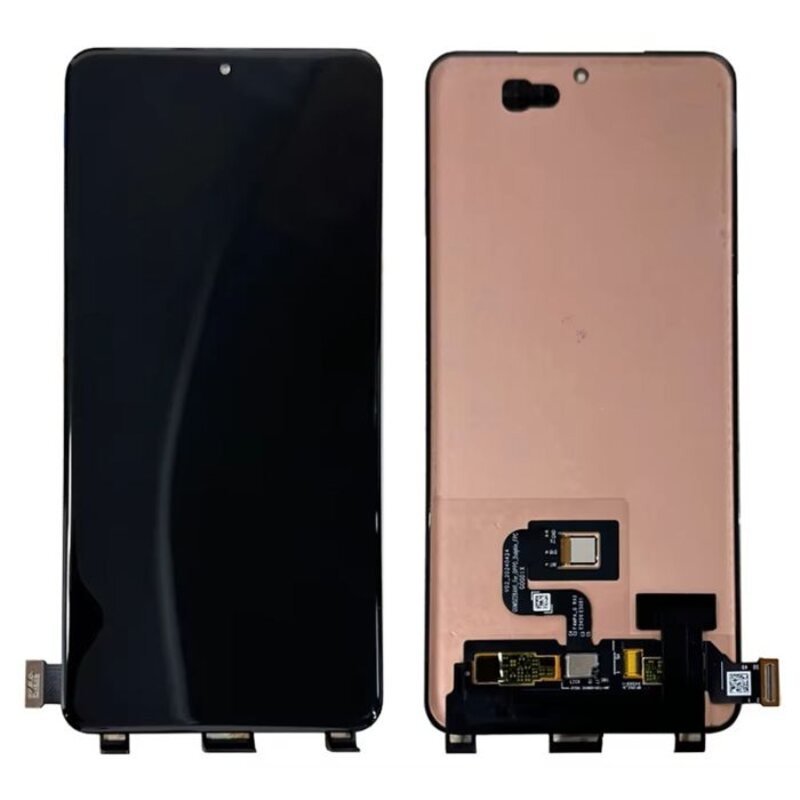
Oneplus 13 Screen replacement in Kenya
The OnePlus 13 is recognized for its sleek design and high-quality display, making it a popular choice among smartphone users. However, like any electronic device, it is not immune to screen-related issues. Users may encounter a variety of common problems, including cracks, scratches, and functional failures that can significantly affect overall device usability.
Cracked screens are one of the most frequent complaints among OnePlus 13 users. Whether caused by accidental drops, impacts, or pressure from being in a pocket, a crack can compromise the aesthetics of the device and, more importantly, the functionality. Such damage not only obstructs visuals but can also lead to further degradation of the screen over time if not addressed promptly.
Scratches represent another common issue that users face. These minor blemishes can result from everyday handling, where keys or other objects come into contact with the screen. Though scratches may seem trivial, they can diminish the quality of the display, hinder touch response, and detract from the overall viewing experience, making it more challenging to enjoy high-resolution content.
In addition to physical damage, functional failures can occur, including unresponsive touch scenarios, ghost touches, or color distortions. These issues can arise from various factors, ranging from software glitches to underlying hardware deficiencies, and they can severely inhibit the user’s ability to interact effectively with the device. Given the screen’s role as a primary interface for accessing features and applications, encountering these problems can lead to frustration and reduced productivity.
It is essential for OnePlus 13 users to recognize the implications of screen damage on their overall experience with the device. Awareness of these common issues serves as a foundation for understanding the importance of regular maintenance and potential repairs for their smartphones.
Types of Screen Damage and Their Causes
The OnePlus 13, like many modern smartphones, is susceptible to various types of screen damage that can hinder its functionality and aesthetic appeal. One prevalent form of damage is shattered glass, which often results from accidental drops or impacts. This type of damage exposes the phone’s internal components to external elements, increasing the risk of further issues. Another common issue is LCD malfunction. This can manifest in numerous ways, such as discoloration, lines across the display, or complete blackouts. LCD issues typically arise due to structural compromises from falls or long-term wear and tear.
Touch sensitivity problems also present a significant concern for OnePlus 13 users. These issues can lead to unresponsive screens or erratic touch responses, making it difficult to interact with the device. Such problems may stem from water exposure, which can disrupt the touch sensors, or from the degradation of the device’s internal components over time. Users might also encounter problems that arise from pressure on the screen, whether from objects in a pocket or bags, which can lead to the warping of the display.
Understanding the various types of screen damage and their underlying causes can be invaluable for OnePlus 13 owners. Recognizing that shattered glass typically results from accidents, while other issues like LCD malfunctions often emerge from prolonged usage or environmental factors, can help in taking preventive measures. Moreover, awareness of the risks associated with carrying devices alongside sharp or heavy objects is essential in safeguarding the phone’s integrity. Being informed about these potential damages empowers users to take proactive steps to maintain their device’s condition and functionality.
Signs You Need a Screen Replacement
Determining whether your OnePlus 13 requires a screen replacement is essential to maintaining optimal device functionality. Several indicators can signal that a repair is needed, and being aware of these signs can save you from further damage and potential costs. One of the most obvious signs of damage is the presence of visible cracks or deep scratches on the screen. Even minor cracks can worsen over time, impacting overall usability and creating a poor aesthetic experience.
Another critical sign that your OnePlus 13 may need a screen replacement is touch responsiveness issues. If you find that your device screen doesn’t register touches accurately, or certain areas become unresponsive, this may be indicative of damaged digitizers that require immediate attention. An unresponsive screen not only hampers your ability to use the device effectively but also poses challenges for navigation and accessibility to essential features.
Display glitches are also a common symptom that warrants a screen replacement. These glitches can manifest in various ways, including flickering, lines appearing across the screen, or color distortions. Such issues can interfere with your viewing experience and are often a clear sign of internal damage that needs to be addressed before it escalates.
Other warnings to look out for include excessive screen burn-in, where static images remain visible after they should have disappeared, and anything unusual like sudden shutdowns related to screen functionality. Performing a thorough assessment based on these symptoms can help you decide whether a screen replacement is necessary for your OnePlus 13, ensuring the device remains reliable and efficient in its operation.
DIY vs. Professional Screen Replacement
When your OnePlus 13’s screen suffers damage, the decision to pursue a DIY replacement or to seek professional assistance can significantly impact your experience and satisfaction with the repair process. Both options present unique advantages and disadvantages that should be carefully evaluated.
One of the most significant factors influencing this choice is cost. Generally, a DIY screen replacement may appear more economical. By sourcing parts online and relying on available tutorials, you might save a substantial amount compared to professional services. However, it is essential to consider the potential hidden costs, such as purchasing tools or additional parts if something goes wrong during the repair process. On the other hand, professional services, while more expensive, offer the reliability of guaranteed work and quality components, which can factor into long-term savings and device performance.
Skill level also plays a vital role in the decision-making process. DIY repairs require a certain degree of technical aptitude and familiarity with smartphone repair techniques. For those with limited experience, attempting to replace the screen can lead to further damages, rendering the phone unusable. Conversely, professionals bring a wealth of expertise to the table, assuring precise repair methods that can facilitate a smoother replacement experience.
Additionally, warranty implications must be taken into account. Many manufacturers, including OnePlus, have specific guidelines that can void your warranty if unauthorized repairs are conducted. Choosing a professional service often helps preserve the warranty, as these technicians usually follow the manufacturer’s recommended protocols. Lastly, the quality of replacement parts varies significantly. While some DIY kits may promise high-quality components, ensuring their authenticity can be tricky, making professional sourcing often the more dependable option.
Tools and Materials Needed for DIY Replacement
Carrying out a DIY screen replacement on your OnePlus 13 requires specific tools and materials to ensure the process is both efficient and effective. Understanding what items are necessary can greatly ease the challenges typically associated with mobile device repairs.
Firstly, a precision screwdriver set is essential for accessing the screws that hold the device together. Look for a set that includes both Phillips and Pentalobe heads, as these will cover the variety of screws found in the OnePlus 13. These screwdriver sets can often be purchased online or at local electronics stores.
Another vital tool is a pair of suction cups. These will aid in lifting the screen from the device body without causing damage. High-quality suction cups designed specifically for mobile devices can be found at specialty repair shops or through online retailers.
A heat gun or a hairdryer is also important for loosening the adhesive that secures the screen. Applying gentle heat will make the adhesive more pliable, reducing the risk of screen damage during removal. It is crucial to maintain a safe distance to avoid overheating components. These tools are commonly available at hardware stores or online marketplaces.
In addition to these tools, having a tweezers set on hand can assist in manipulating small parts and screws that may be difficult to handle with fingers alone. For those seeking replacement screens, verified online suppliers and manufacturers of OnePlus parts are the most reliable sources. It is advisable to confirm the compatibility of the replacement screen specifically for the OnePlus 13 before making a purchase.
By gathering these essential tools and materials, individuals can confidently approach the DIY screen replacement process for their OnePlus 13, ensuring a successful repair experience.
Step-by-Step Guide to DIY Screen Replacement
Replacing the screen of your OnePlus 13 can be a daunting task; however, with the right tools and a methodical approach, it is achievable. This guide outlines the process in clear steps to facilitate a successful screen replacement. Before you begin, ensure that you have the necessary tools, including a heat gun, plastic prying tools, suction cup, and a Phillips screwdriver. Additionally, work in a clean, static-free environment to minimize any risks of damage.
Start by powering off your OnePlus 13 and removing the SIM card tray. Gently heat the edges of the screen using a heat gun—this will soften the adhesive holding the screen in place. The goal is to warm it enough to release the screen without overheating the internal components. Once heated, carefully apply a suction cup near the edge of the screen and pull upward to create a small gap.
Using a plastic prying tool, insert it into the gap to ease the screen away from the phone’s body. Work your way around the edges slowly, ensuring that you do not damage any internal cables. If you encounter resistance, reapply heat to that area before continuing. Once you have successfully detached the screen, disconnect it from the motherboard by removing the screws that secure the flex cable connector.
With the old screen removed, prepare the new screen for installation. Carefully connect the flex cable to the motherboard, ensuring it is securely seated. Before sealing everything up, power on the device briefly to test the new screen; confirm that it responds to touch and displays correctly. If everything works, use adhesive or adhesive tape to secure the new screen in place, and carefully press it down.
Finally, reassemble the device by reversing the steps taken to disassemble it. Ensure that all screws are tightened appropriately, and insert the SIM card tray back into position. Your OnePlus 13 should now have a new screen, ready to provide a fresh visual experience.
Choosing a Reputable Repair Service
When it comes to screen replacement for your OnePlus 13, selecting a reputable repair service is crucial to ensuring quality work and protection for your device. Begin by assessing the service quality of repair shops in your locality. Look for establishments that specialize in mobile device repairs, particularly those that have experience with OnePlus models. A dedicated service center is more likely to have the necessary expertise to handle your device properly.
Next, take the time to compare prices among various repair services. While it is tempting to choose the least expensive option, consider the value of the service being offered. Balance affordability with the reputation of the shop to avoid compromising on quality. A repair service may offer a slightly higher price but could also use genuine parts and provide better warranty options, making it a more worthwhile investment.
Reading customer reviews can also provide valuable insights into the reliability of a repair service. Online review platforms allow individuals to share their experiences, guiding potential customers in selecting a trustworthy provider. Pay attention to the overall satisfaction ratings, the clarity of the technicians, and the timeliness of the repairs. A high rating in these categories usually indicates a reputable service.
In addition to reviews, verifying the credentials of a repair shop can further ensure you’re making the right choice. Look for certifications or affiliations with recognized organizations in mobile repair. These endorsements often signify a commitment to quality and customer service.
Finally, before agreeing to any repair service, inquire about warranty options on their work. A reputable shop will offer guarantees on their repairs, which can provide you with peace of mind, particularly if any issues arise post-repair. By following these guidelines, you will be able to choose a reliable service for your OnePlus 13 screen replacement.
Cost of OnePlus 13 Screen Replacement
The cost of replacing the screen on a OnePlus 13 can vary significantly based on several factors, including whether you opt for a do-it-yourself (DIY) approach or choose to have the replacement performed by a professional technician. Understanding these costs is crucial for anyone considering a screen replacement for their device.
For those inclined towards a DIY approach, the primary expenses will stem from purchasing the necessary replacement parts and tools. The average price range for a OnePlus 13 screen replacement part can be anywhere from $150 to $300, depending on the quality and source of the parts. Additionally, you may need to invest in specialized tools, which could add another $20 to $50 to your overall expenditure. It is essential to ensure that any parts purchased are compatible with the OnePlus 13 model to avoid further complications.
On the other hand, if you opt for professional assistance, the costs will include labor fees along with the price of the replacement part. Professional repair services generally charge between $200 and $350 for screen replacement, factoring in both the cost of the screen and technician labor. Many repair shops may also have hidden fees, such as diagnostics or additional repairs required due to water damage or other issues. It is advisable to inquire about these potential charges before proceeding with a service.
Overall, whether pursuing DIY repairs or professional services, it’s vital to weigh the costs associated with each option. Understanding these factors will provide a clearer financial picture and help individuals make an informed decision regarding their OnePlus 13 screen replacement needs.
Preventive Measures to Avoid Future Damage
Protecting your OnePlus 13 screen from damage is paramount for maintaining its longevity. Adopting preventive measures can substantially decrease the likelihood of screen cracks or scratches, ensuring a seamless user experience. One of the most effective methods is the use of quality screen protectors. These thin layers act as an additional shield against impacts and scratches, preserving the screen’s integrity. Tempered glass protectors are especially popular due to their durability and the added protection they provide.
In addition to screen protectors, a robust case can be instrumental in safeguarding your device. Selecting a case that fits your OnePlus 13 snugly can absorb shocks from accidental drops, protecting the screen from direct impact. Various case options, such as rugged or slim designs, cater to different preferences and lifestyle needs. The combination of a screen protector and a quality case can significantly mitigate damage risks, making it a worthwhile investment.
Another crucial practice involves maintaining a safe handling routine. Users should be mindful of where they place their devices—avoiding precarious spots where the phone might fall or be subjected to accidental pressure. Additionally, adopting a habit of holding the phone with both hands can provide better control and stability. It is also advisable to remove the phone from pockets or bags with caution to prevent unintentional contact with sharp objects that could inflict damage.
Moreover, the environment in which the OnePlus 13 is used can play a substantial role in its upkeep. Extreme temperatures, humidity, and exposure to direct sunlight can weaken the screen’s material over time. Therefore, it is essential to use the device in environments that are appropriate for electronic gadgets. By implementing these preventive measures, OnePlus 13 users can significantly enhance the durability of their screens and enjoy the full functionality of their devices for years to come.


There are no reviews yet.