Motorola Razr 60 Ultra 5G Screen Replacement in Kenya
The Motorola Razr 60 Ultra 5G is a remarkable addition to the smartphone market, combining cutting-edge technology with a nostalgic design. This device stands out primarily due to its innovative foldable display, which not only enhances portability but also introduces new functionalities that traditional smartphones lack. With its unique clamshell form factor, the Razr 60 Ultra 5G offers users a seamless transition between a compact phone and a full-sized display when opened.
Equipped with a high-resolution OLED screen, the Razr 60 Ultra 5G delivers vibrant colors and sharp contrasts, making media consumption a delightful experience. The device is powered by a robust processor, ensuring smooth operation whether users are multitasking or gaming. The impressive specifications include ample RAM and storage options, allowing users to store their favorite applications and files without concerns of running out of space.
Moreover, the Motorola Razr 60 Ultra 5G is designed with user experience in mind. It features advanced camera systems, including high-quality lenses that cater to photography enthusiasts. The device’s software integration also enhances its capabilities, offering various modes to optimize photo quality, even in low-light conditions. Additionally, the phone supports 5G connectivity, affirming Motorola’s commitment to keeping users at the forefront of telecommunications technology.
In the realm of smartphones, foldable screen technology represents a significant shift, capturing the attention of both consumers and manufacturers alike. This groundbreaking design not only provides a unique aesthetic but also addresses the need for larger screens without compromising portability. However, the complexity of such technology means that screen replacement becomes a vital consideration for users. Understanding the features and specifications of the Motorola Razr 60 Ultra 5G sets the stage for exploring the implications of screen replacement and ensuring the longevity of this innovative device.
Common Issues with the Motorola Razr 60 Ultra 5G Screen
The Motorola Razr 60 Ultra 5G, with its innovative design and advanced features, has garnered significant attention among smartphone users. However, like any electronic device, it is prone to specific issues, particularly concerning its screen. Users frequently report common problems such as cracks, scratches, unresponsive touch, and various display malfunctions, which can diminish the overall user experience.
Cracked screens are one of the most prevalent issues. This problem often arises from accidental drops or impacts, which are commonplace given the phone’s sleek and foldable design. The unique hinge mechanism can also contribute to stress on the screen, making it more susceptible to cracks. Similarly, scratches are often the result of everyday usage, such as placing the device in pockets or bags with other metallic objects.
Unresponsive touch functionality is another complaint among Razr 60 Ultra 5G users. This can stem from software glitches, but can also be linked to physical damage to the screen. In instances where the screen suffers impacts, even minor, the digitizer might become impaired, leading to areas that fail to register touch. Furthermore, display issues, such as distorted colors or flickering screens, can occur due to faulty components or defects in manufacturing.
The impact of these issues on the phone’s functionality is profound. A cracked or scratched screen not only hampers the aesthetic appeal of the device but can also interfere with essential tasks such as texting, browsing, and app usage. Users may find their device increasingly frustrating to use as these problems escalate, leading to a decision for screen replacement. Understanding these common screen issues is crucial for users to maintain their Motorola Razr 60 Ultra 5G and ensure a positive experience with their device.
Signs That Indicate Your Screen Needs Replacement
Identifying the need for a screen replacement on your Motorola Razr 60 Ultra 5G is crucial for preserving the functionality of your device. Several symptoms may indicate that your screen is in need of repair or replacement. These signs can range from minor irritations to severe issues that could render the device unusable.
One of the most common indicators is discoloration. When the screen displays unusual hues or a lack of vibrancy, it may suggest underlying damage to the display. Discoloration can manifest as dark spots, lines, or an overall faded appearance. These irregularities can often be traced back to damage sustained during drops or impact, leading to the deterioration of the screen’s material.
Another critical sign is flickering. If the screen intermittently dims or flashes, it indicates potential issues with the screen’s internal components. Flickering symptoms may point to a problem with the digitizer or other connected elements, reducing the reliability of the display while also impacting the user experience. Furthermore, persistent flickering can escalate, leading to complete screen failure or further complications.
Physical damage also plays a significant role in determining the necessity for a screen replacement. Cracks, scratches, or shattered glass can hinder visibility and functionality, creating challenges for the user, especially in touch responsiveness. It’s essential to address any visible damage promptly; otherwise, it may worsen over time, leading to more extensive repairs.
In summary, being vigilant for symptoms such as discoloration, flickering, and physical damage can help you determine the right time to seek repairs for your Motorola Razr 60 Ultra 5G. Recognizing these signs early on allows for timely action, ultimately extending the lifespan of your device while enhancing its performance.
DIY vs Professional Screen Replacement: Pros and Cons
When it comes to replacing the screen of your Motorola Razr 60 Ultra 5G, individuals often face the decision between undertaking a do-it-yourself (DIY) repair or entrusting the task to professional repair services. Both options offer distinct advantages and disadvantages that can greatly influence the overall outcome and experience.
One of the primary benefits of a DIY screen replacement is cost-effectiveness. Typically, purchasing a replacement screen and necessary tools online can be significantly less expensive than hiring a professional technician. Additionally, a DIY approach allows for flexibility in timing, as individuals can perform the repair at their convenience without needing to schedule an appointment. However, successful DIY repairs require a certain level of technical skill and understanding of mobile device components. If the individual lacks experience, they may inadvertently cause further damage, leading to more costly repairs or potentially rendering the device unusable.
On the other hand, opting for professional repair services offers the assurance of expertise and experience. Technicians who specialize in mobile repairs have the necessary training to perform screen replacements efficiently and safely. This reduces the risk of additional damage that can occur during an amateur repair. Professional repairs often come with warranties, providing peace of mind regarding the workmanship. Nonetheless, this convenience comes at a higher price point. Additionally, repair times may vary depending on the workload of the service provider, potentially leaving the user without their device for an extended period.
Ultimately, the choice between DIY and professional screen replacement for your Motorola Razr 60 Ultra 5G depends on individual circumstances, including technical proficiency, budget constraints, and the willingness to risk further damage. Evaluating these factors carefully will help guide the decision-making process effectively.
What to Expect from a Professional Screen Replacement Service
When you take your Motorola Razr 60 Ultra 5G to a professional for screen replacement, several key aspects define the process and the overall customer experience. Initially, a certified technician will conduct a thorough assessment of the device to identify the extent of damage. This evaluation often includes checking the functionality of the touch screen, verifying the display quality, and inspecting for any further internal complications.
Turnaround time is a significant consideration for many customers. Most reputable repair services aim to complete the screen replacement within a few hours, especially for popular models like the Motorola Razr 60 Ultra 5G. However, it is essential to understand that times may vary based on the demand for parts, the complexity of the repair, and the service provider’s current workload. Some repair shops may offer same-day service, while others may take a day or two if they must order specific components.
Service quality is another critical element. A professional service provider should guarantee that the replacement screen is either original or high-quality aftermarket parts to ensure that your Motorola Razr 60 Ultra 5G functions optimally post-repair. Furthermore, skilled technicians will follow careful procedures to avoid any additional damage during the replacement process.
Warranties on repairs are also an essential factor. Reputable service providers typically offer a warranty period for their repairs, which can range from 30 days to several months. This warranty provides customers peace of mind, ensuring that if issues arise with the screen after replacement, they will not incur additional costs. By choosing a credible repair service, customers can safeguard their investment in their Motorola Razr 60 Ultra 5G, enhancing the longevity of their device.
How to Prepare for a Screen Replacement
Preparing for a screen replacement on your Motorola Razr 60 Ultra 5G is essential to ensure a smooth process and safeguard your personal information. One of the first steps you should take is to back up your data. This can be done by utilizing cloud services, such as Google Drive or Motorola’s own backup solutions, to save important documents, photos, and app data. Ensuring that your data is securely backed up provides peace of mind, as it allows for a seamless transfer back to your device following the repair.
Next, it’s advisable to remove any SIM cards or memory cards from your device. These components can be vulnerable during the screen replacement process, and detaching them can prevent potential loss or damage. Make sure to store these items in a safe place until the repair is complete, as they are vital for the functionality of your device once it is returned to you.
Additionally, before handing over your Motorola Razr 60 Ultra 5G to a technician, ensure that the device is clean and free from any personal items. This includes removing any cases, screen protectors, or accessories that may impede the repair process. Additionally, it is a good practice to wipe down the device to remove any dirt or fingerprints, enabling the technician to work in a clean environment.
Taking these preparatory steps not only protects your valuable information but also facilitates a more efficient screen replacement process. By ensuring your device is backed up, stripped of sensitive components, and cleaned, you contribute to the favorable handling of your Motorola Razr 60 Ultra 5G. This attention to detail can help ensure that you receive your phone back in a timely manner, ready for use with a new screen.
Cost of Screen Replacement for Motorola Razr 60 Ultra 5G
The cost of screen replacement for the Motorola Razr 60 Ultra 5G can vary significantly based on several factors. Understanding these factors can help users make informed decisions when seeking repairs. Generally, one can expect to pay between $200 to $500, depending on the service provider and specific circumstances surrounding the replacement.
One of the primary influences on the cost is the location of the service provider. Authorized service centers may charge a premium for their repairs, often due to the warranty and quality assurance they provide. In contrast, third-party repair shops may offer competitive rates; however, potential compromises on quality or warranty may be involved. Users should weigh the benefits of choosing between authorized dealers and independent repair services.
The type of parts utilized during the screen replacement is another significant factor affecting overall costs. Original equipment manufacturer (OEM) parts are typically more expensive than aftermarket alternatives. While OEM parts can ensure compatibility and quality, aftermarket components may reduce costs but may come with varying qualities and functionalities, potentially affecting the user experience.
Additionally, it is essential to consider the warranty options offered by the repair service. Some companies include warranty periods on parts and labor, which can provide peace of mind against future issues. However, this may also lead to an increase in upfront costs. Furthermore, potential hidden fees can arise in the form of diagnostic charges or additional costs for expedited services, making it crucial for consumers to ask for detailed estimates before proceeding.
Researching and comparing service providers can help users find a balance between affordability and quality when seeking screen replacement for their Motorola Razr 60 Ultra 5G.
Preventative Measures to Protect Your Screen
Protecting the screen of your Motorola Razr 60 Ultra 5G requires a proactive approach, given the device’s delicate nature. Employing suitable preventative measures is pivotal in extending the lifespan of your smartphone’s screen while maintaining its functionality.
One of the most fundamental precautions users can take is to invest in high-quality screen protectors. These thin layers of tempered glass or film serve as a barrier against scratches, smudges, and minor impacts. When selecting a screen protector, opt for a product specifically designed for the Razr 60 Ultra 5G, ensuring a precise fit and maximum protection. Regularly replacing screen protectors when they show signs of wear will help maintain optimal clarity and protection.
Moreover, carrying cases are an essential accessory for safeguarding your device. A sturdy case not only protects the screen but also the overall structure of the phone. It is advisable to choose a case that offers raised edges to absorb shock in the event of a fall, thereby preventing direct contact between the screen and hard surfaces. Look for options made from durable materials that provide both style and security.
Safe handling of your Motorola Razr 60 Ultra 5G is equally important. Ensure your hands are clean and dry when using the phone, as moisture and oils can compromise the screen’s integrity. Avoid placing the smartphone in pockets alongside sharp objects such as keys and coins, which can easily cause scratches or damage.
When traveling, store your device in padded compartments of a bag, utilizing protective sleeves if necessary. This will help shield the screen from unexpected knocks and drops. By integrating these preventative measures into your routine, you will significantly enhance the durability of your Motorola Razr 60 Ultra 5G screen and enjoy a prolonged device lifespan.
Conclusion
As we have explored throughout this blog post, understanding the intricacies of Motorola Razr 60 Ultra 5G screen replacement is paramount for every user. First and foremost, knowing the available options for screen repair provides a solid foundation for making informed decisions. The contrast between professional and DIY repairs highlights the importance of assessing your skills, resources, and the potential risks involved in the process. If you opt for a professional service, consider factors such as warranty, quality of parts used, and the technician’s experience, which can significantly influence the overall outcome.
Moreover, this discussion emphasizes the critical role of preventive measures. Utilizing cases and screen protectors can drastically reduce the likelihood of damage, thus saving both time and money. It is essential to recognize that regular maintenance and cautious handling of the device can extend its lifespan and functionality. For users who frequently engage in activities that expose their device to potential damage, investing in protective gear is advisable.
Ultimately, every individual’s circumstance is unique, and what may work for one person may not be suitable for another. Therefore, it is crucial to evaluate your specific needs and the extent of the damage before proceeding with a screen replacement. By reflecting on the insights provided here, readers are encouraged to weigh their options carefully and make a choice that aligns with their requirements. Understanding the nuances of screen replacement not only aids in immediate repairs but also contributes to the long-term durability and performance of the Motorola Razr 60 Ultra 5G. With informed decision-making, users can ensure they are taking the best steps to protect their investment.

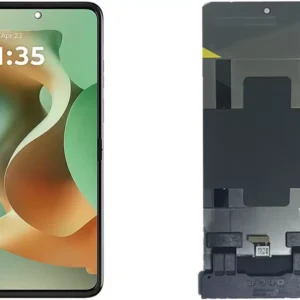 Motorola Razr 60 Ultra 5G Screen Replacement
1 × KSh 35,000.00
Motorola Razr 60 Ultra 5G Screen Replacement
1 × KSh 35,000.00  Tecno Spark 40 Pro KM6 Battery Replacement
1 × KSh 3,000.00
Tecno Spark 40 Pro KM6 Battery Replacement
1 × KSh 3,000.00 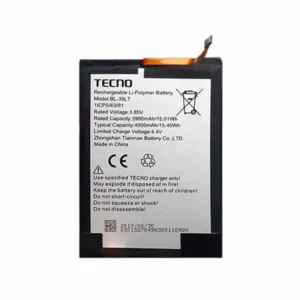 Tecno Spark 30S (CLA5) Battery Replacement
1 × KSh 2,000.00
Tecno Spark 30S (CLA5) Battery Replacement
1 × KSh 2,000.00  OnePlus Nord CE5 12GB/256GB
1 × KSh 49,000.00
OnePlus Nord CE5 12GB/256GB
1 × KSh 49,000.00  Google pixel 8 Pro Screen Replacement
1 × KSh 25,000.00
Google pixel 8 Pro Screen Replacement
1 × KSh 25,000.00 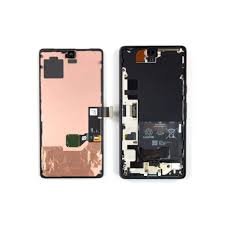 Google pixel 9 Pro Screen Replacement
1 × KSh 18,000.00
Google pixel 9 Pro Screen Replacement
1 × KSh 18,000.00 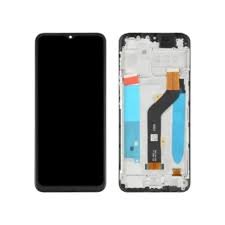 Tecno Spark 40 KM5 Screen Replacement
1 × KSh 7,000.00
Tecno Spark 40 KM5 Screen Replacement
1 × KSh 7,000.00 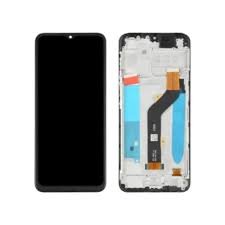 Tecno Spark 40 Pro KM6 Screen Replacement
1 × KSh 7,500.00
Tecno Spark 40 Pro KM6 Screen Replacement
1 × KSh 7,500.00  Oneplus Nord CE5 Battery Replacement
1 × KSh 3,000.00
Oneplus Nord CE5 Battery Replacement
1 × KSh 3,000.00 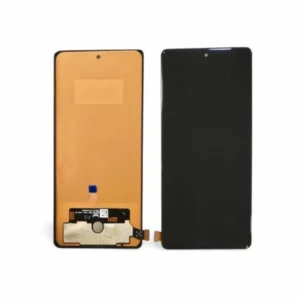 Tecno Spark 30S (CLA5) Screen Replacement
1 × KSh 8,500.00
Tecno Spark 30S (CLA5) Screen Replacement
1 × KSh 8,500.00 


There are no reviews yet.