

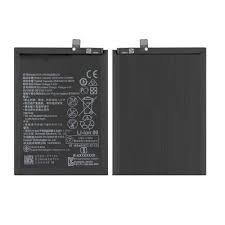
Understanding the Honor X5B: An Overview
The Honor X5B is a smartphone that combines functionality with modern technology, making it an appealing choice for users seeking a dependable device. This smartphone is equipped with a robust octa-core processor, which enhances its performance in terms of speed and multitasking capabilities. With a vibrant display that boasts high resolution, the Honor X5B provides an engaging viewing experience for both entertainment and productivity. Additionally, the device supports various connectivity options, ensuring users stay connected with ease.
One of the defining features of the Honor X5B is its camera system, which offers users the ability to capture high-quality images and videos. The front and rear cameras are designed to deliver impressive results in various lighting conditions, making it an appealing choice for photography enthusiasts. Beyond these specifications, the device also emphasizes user experience with a sleek design and an intuitive interface, allowing for streamlined navigation.
However, an essential aspect of any smartphone is its battery performance. The Honor X5B comes with a durable battery that supports long hours of active usage, whether it be browsing, streaming, or gaming. As with any electronic device, the battery’s longevity can diminish over time due to extensive use, environmental factors, and charging habits. Understanding these nuances is crucial for users who wish to maintain their device’s functionality and longevity.
This highlights the importance of being aware of battery issues that may arise and the necessity for timely replacements. Recognizing the signs of battery decline is vital in maximizing the use of the Honor X5B. As we explore battery replacement solutions, it’s critical to understand the device’s characteristics and specifications to ensure a seamless replacement process and continued optimal performance.
Signs Your Honor X5B Battery Needs Replacement
Identifying when your Honor X5B battery may need replacement is crucial for maintaining optimal performance of your device. Several warning signs can indicate that the battery is failing, and recognizing these symptoms in a timely manner can help you avoid more significant issues in the future.
One of the most common symptoms is rapid battery drain. If you notice that your phone’s battery level drops significantly faster than usual during regular use, this could be a clear indication of a deteriorating battery. For instance, if you find that your previously charged device only lasts a few hours, it might be an opportune moment to consider a replacement.
Overheating is another critical sign that indicates potential battery problems. While it is normal for phones to warm up during intensive tasks, an Honor X5B that frequently becomes excessively hot, even during light use, warrants further investigation. Continuous overheating not only affects performance but also poses safety risks, making it imperative to act swiftly.
A swollen battery is a physical indicator that should never be overlooked. If you observe any bulging or deformation in the battery compartment, this is a clear alert that your Honor X5B’s battery has gone bad. Ignoring this can lead to further damage to your phone or, in severe cases, present safety hazards.
Lastly, charging issues, such as intermittent charging or difficulty maintaining a charge, can also signify a failing battery. If your device takes significantly longer to charge or does not hold a charge at all, it may be time to replace the battery to restore proper functionality. Recognizing these symptoms early can save users considerable time and keep their device running effectively.
Choosing the Right Replacement Battery
When opting for a replacement battery for the Honor X5B, it is essential to understand the types of batteries available on the market, primarily categorized as original manufacturer parts and third-party options. Original equipment manufacturer (OEM) batteries are produced by the device’s manufacturer, ensuring compatibility and adherence to specifications. These batteries typically come with warranties and quality assurance, which guarantees optimal performance and longevity. For individuals seeking reliability and peace of mind, OEM batteries often represent the best choice.
Conversely, third-party batteries are manufactured by companies other than the device’s original maker. While they may present a more economical option, it is crucial to assess their quality, as not all third-party batteries are created equal. Some may offer comparable performance to OEM batteries, while others may have shorter lifespans or increased risks of heating and damage. Before selecting a third-party battery, consumers should look for reputable brands with positive reviews and ensure that they are certified for use with the Honor X5B.
Another significant factor to consider is the capacity of the replacement battery. Batteries with higher mAh (milliamp-hour) ratings will generally offer extended usage time, enhancing the overall performance of your device. It is also beneficial to assess the physical fit of the battery since misfit batteries can lead to functionality issues or even damage to the phone.
Ultimately, choosing the right replacement battery for the Honor X5B entails weighing the benefits and drawbacks of both OEM and third-party options while considering factors such as longevity, compatibility, and safety. A well-researched decision can result in an effective and satisfying battery replacement experience.
Tools Required for Battery Replacement
Replacing the battery of the Honor X5B requires a specific set of tools to ensure the process is both safe and effective. Having the right tools readily available can facilitate a smoother battery replacement experience, minimizing the risk of damage to the device. Below is a comprehensive list of essential tools and supplies needed for this task.
Firstly, a precision screwdriver set is crucial. The Honor X5B generally utilizes small screws that necessitate the use of a high-quality precision screwdriver. This set typically includes various sizes of Phillips and flathead screwdrivers, allowing for the removal of screws without stripping them, ultimately safeguarding the internal components from potential harm.
Secondly, a plastic opening tool is recommended. This tool aids in carefully prying open the phone casing without causing damage to the exterior or interior components. The use of a plastic tool is vital, as metal tools may scratch or dent the surfaces of the device.
Additionally, a pair of tweezers will be beneficial for handling small components or screws that may have fallen during the replacement process. Precision tweezers allow for improved control when repositioning delicate parts of the device.
Moreover, it is advisable to have a heat source, such as a heat gun or a hairdryer. These tools help soften the adhesive securing the battery, making it easier to detach it from the device housing. Exercise caution when applying heat to avoid overheating any components.
Finally, a clean workspace is necessary for an efficient replacement. Keep a soft, lint-free cloth on hand to lay the device down, preventing scratches or other damage during the battery replacement process. By gathering these essential tools, replacing the Honor X5B battery can be executed with effectiveness and care.
Step-by-Step Guide to Replacing the Honor X5B Battery
Replacing the battery in your Honor X5B can enhance its performance and prolong its lifespan. Below is a comprehensive step-by-step guide designed to assist both novice and experienced users through the battery replacement process safely.
Before you begin, ensure that you have the necessary tools on hand: a screwdriver (preferably a Phillips head), a plastic prying tool, and a new Honor X5B battery. Moreover, it’s advisable to carry out this replacement in a static-free environment to avoid damaging any internal components.
Begin by powering off your Honor X5B completely. This will prevent any electrical shorts during the replacement process. Once turned off, locate the seam along the back cover of the device. Using your plastic prying tool, gently insert it into the seam and work your way around the perimeter to detach the back cover. Be cautious to avoid damaging the clips or the cover itself.
With the back cover removed, you’ll see the battery secured in place. Identify the battery connector, which is typically near the edge of the battery. Carefully disconnect this connector by gently lifting it from its socket, ensuring not to pull on the wires excessively. This step is crucial to avoid any potential damage to the connector or the device’s motherboard.
After disconnecting the battery, gently lift it out of the battery compartment. If it appears to be stuck, you may need to use your prying tool to loosen it carefully. Now that the old battery is removed, it is time to insert your new Honor X5B battery. Place the new battery into the compartment, ensuring that it fits snugly and securely.
Reconnect the battery connector to the motherboard, ensuring that it is firmly seated in place. Finally, replace the back cover by aligning it and pressing down until it clicks back into place. Once completed, power on your device. Your Honor X5B should now be revitalized with enhanced battery performance, ready for continued use.
Safety Precautions During Battery Replacement
Performing a battery replacement, such as for the Honor X5B, necessitates rigorous adherence to safety protocols to mitigate risks associated with electric shocks, fire hazards, or device damage. Primarily, it is crucial to ensure that the device is powered off and unplugged before initiating any procedures. This prevents accidental power surges that could lead to electric shocks. Additionally, it is advisable to discharge any remaining battery power by using the device until it completely shuts down, further decreasing the likelihood of potential hazards.
Using appropriate tools is another fundamental aspect of safe battery replacement. Ensure that you have non-conductive tools, such as plastic spudgers and screwdrivers designed for electronic devices. This choice of tools minimizes the risk of short circuits that can occur from metal tool contacts with components. Moreover, working in a well-lit, clutter-free environment provides better visibility and reduces the chance of losing small parts or tools during the process.
Moreover, it is vital to handle the new battery with care. Check the integrity of the battery casing and connectors before installation. Avoid using batteries that have visible signs of damage or swelling, as these may pose significant risks, including fires or explosions. After installing the new battery, ensure all connections are secure and that no wires are pinched or in contact with sharp edges.
Lastly, being aware of your surroundings is important; work on a non-static surface and consider wearing an anti-static wrist strap. This acts as a safeguard against electrostatic discharge, which can harm sensitive electronic components. By taking these necessary precautions during battery replacement, one can successfully replace the Honor X5B battery while significantly minimizing associated risks.
Testing Your New Battery: Ensuring Proper Functionality
Once you have completed the process of replacing the battery in your Honor X5B, it is crucial to conduct a series of tests to ensure the new component is functioning as intended. Proper functionality of the battery is essential for the device’s overall performance and longevity. The initial step involves an inspection of the physical connection; ensure that the battery is securely seated in its compartment, with no loose wires that could hinder performance.
Next, power on the device and observe how it behaves during startup. If the device powers up smoothly and no warning messages related to battery issues are displayed, this is a positive indicator of installation success. However, you should not stop here; the actual functionality is best assessed over a period of usage. Monitor the battery’s performance by fully charging it to 100% and then using the device until it automatically shuts down due to a depleted battery.
During this usage phase, pay attention to how the Honor X5B performs. It is important to note any irregularities such as rapid battery drain, overheating, or unusual behavior when charging. If the device exhibits these symptoms, it may necessitate further inspection. After the initial charge and discharge cycle, allow the battery to rest for a few hours and conduct another full charge cycle to verify its efficiency.
One should also consider using battery monitoring applications, which can provide detailed insights into battery health, charge cycles, and overall performance metrics. These tools can assist you in identifying potential early signs of battery failure, ensuring that your replacement battery is indeed functioning optimally. Overall, thorough testing and regular monitoring are fundamental for validating the integrity and efficiency of your new Honor X5B battery.
Common Issues After Replacement and Troubleshooting
Replacing the battery of the Honor X5B can significantly enhance the device’s performance and longevity. However, users might encounter certain issues following the replacement. Understanding these potential problems, along with effective troubleshooting tips, is essential for maintaining your device’s functionality.
One common issue after a battery replacement is charging problems. Users may find that the device does not charge properly or takes much longer than expected to reach full capacity. This issue can often be traced back to improper battery installation or malfunctioning charging ports. To troubleshoot, ensure that the battery connectors are securely attached and free of dust or debris. Additionally, using a different cable or charger can help determine if the problem lies with the charging accessory rather than the device itself.
Device malfunctions are another issue that can arise post-replacement. This includes erratic behavior, sudden shutdowns, or failure to start. In these cases, it’s essential to double-check that the new battery is compatible with the Honor X5B model. Incorrect battery specifications can lead to operational inconsistencies. If the right battery is installed, performing a factory reset may help resolve software-related issues that can occur after a battery replacement.
If your Honor X5B continues to experience problems after these troubleshooting steps, consider revisiting the repair to ensure that all components are functioning correctly. Sometimes, nearby components can be affected during the battery change process. Alternatively, seeking professional assistance can provide a more thorough diagnosis and resolution of underlying issues. By understanding these common post-replacement challenges, users can enjoy a seamless experience with their refurbished Honor X5B device.
When to Seek Professional Help
In the realm of smartphone maintenance, there are instances when seeking professional help for issues such as battery replacement is advisable. While many users may consider replacing the battery of their Honor X5B by themselves, certain scenarios warrant the intervention of a qualified technician. Understanding these circumstances can be crucial to preserving the integrity of your device.
One notable scenario is when the battery replacement process presents complex challenges. If the battery is not easily accessible or requires specialized tools for removal, it is prudent to engage a professional. Attempting to open intricate devices without the proper skills and equipment can lead to further damage, potentially exacerbating the original issue. Furthermore, if you encounter any resistance while attempting to remove the battery or notice abnormal symptoms such as swelling, it is critical to pause your efforts and consult an expert.
Additionally, warranty considerations play a vital role in determining whether to seek professional assistance. Many devices, including the Honor X5B, come with a manufacturer’s warranty that may cover battery replacements. It is important to review your warranty terms: replacing the battery without professional assistance might void the warranty, leaving you unprotected from future issues. If your device is still under warranty, it is advisable to contact the manufacturer or authorized service centers.
Lastly, engaging expert help for hardware problems extends beyond battery replacement. Should you experience symptoms like inconsistent performance, overheating, or abrupt shutdowns, these may indicate underlying issues unrelated to battery health. Therefore, consulting a professional ensures that any potential hardware malfunctions are adequately diagnosed and addressed, safeguarding the device’s functionality in the long run.


There are no reviews yet.